Pick a character. Build a scene.
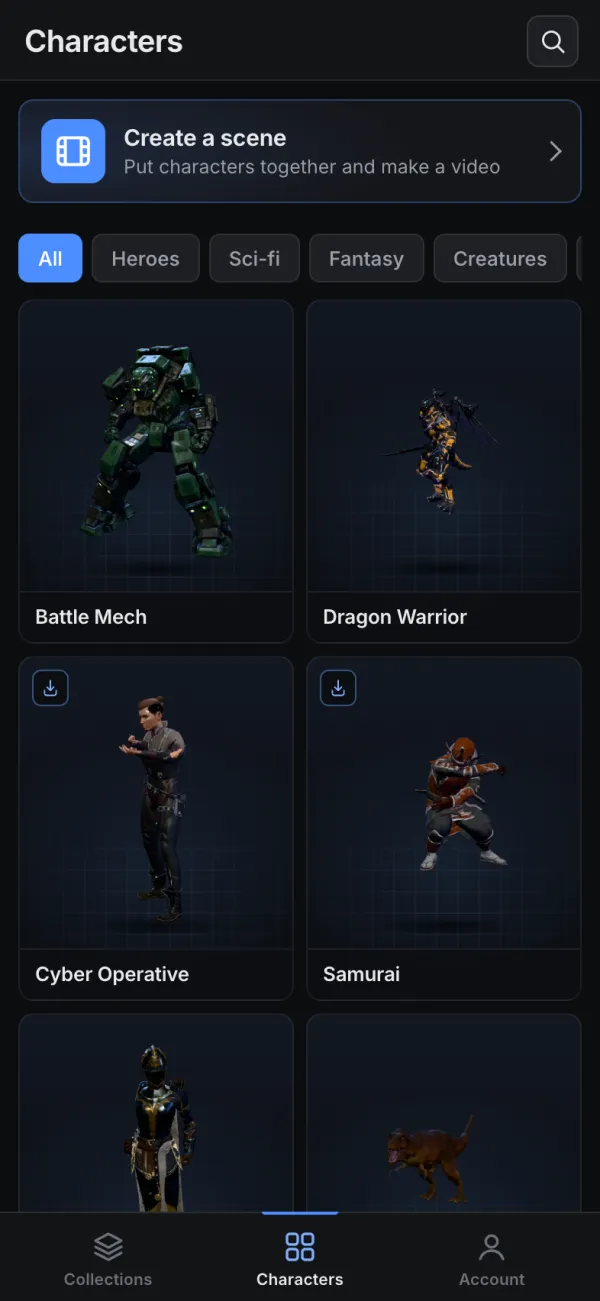
More than 80 characters come ready to animate: heroes like the Red Robot, Paladin and Samurai, everyday people, creatures, dinosaurs and over 30 animals. Put as many as you like on the stage and give each one its own list of moves from hundreds (dances, fights, feelings and everyday actions), or tap Walk to and pick a spot. Start from an empty stage or a ready-made scene like DJ T-Rex, Abracadabra! or Breaking news, and make it yours.
Film it with your fingers.
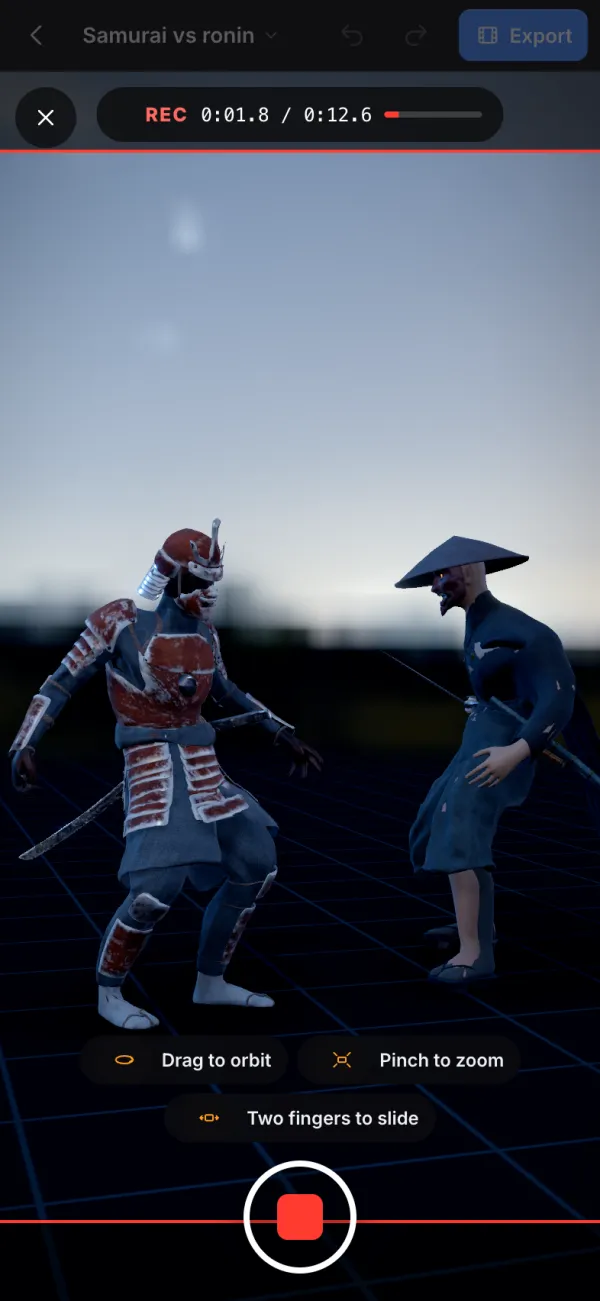
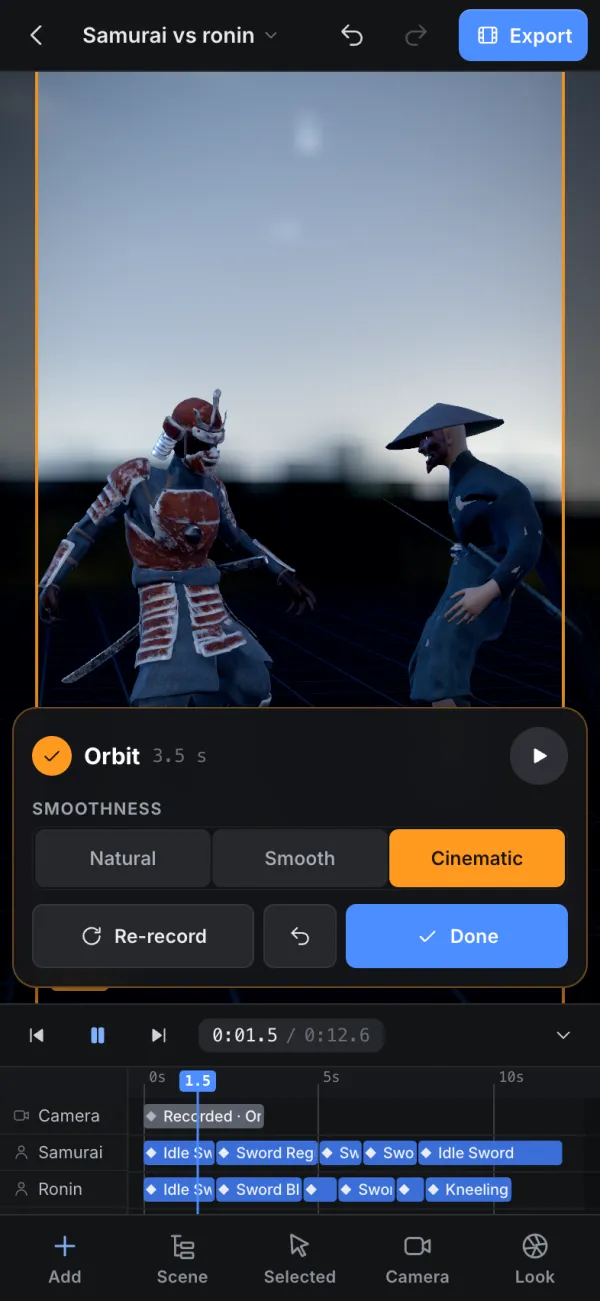
Tap Record and the scene plays after a 3-2-1: drag to orbit, pinch to zoom, slide with two fingers. When you stop, your shaky move is smoothed into a cinematic orbit, push in, pan or crane. Pick Natural, Smooth or Cinematic and re-record any time, or choose a move in one tap: Still, Push in, Orbit, Pan, Crane or Follow. The framing, lens and keyframes are under Advanced.
Gear it up. Light it.
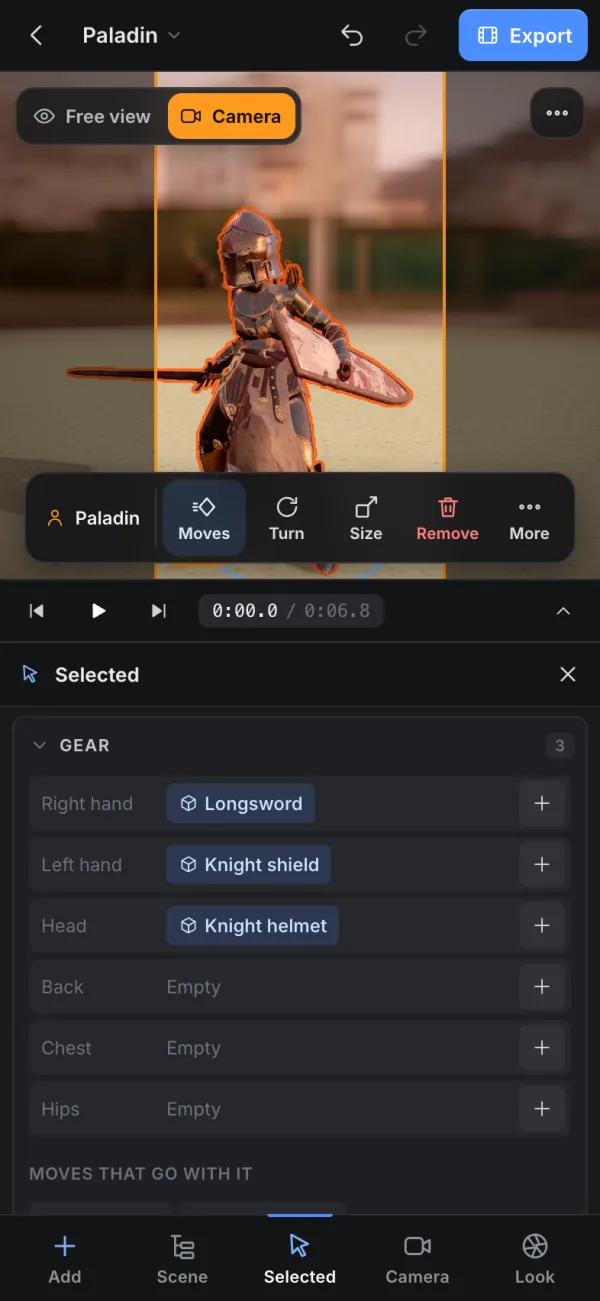
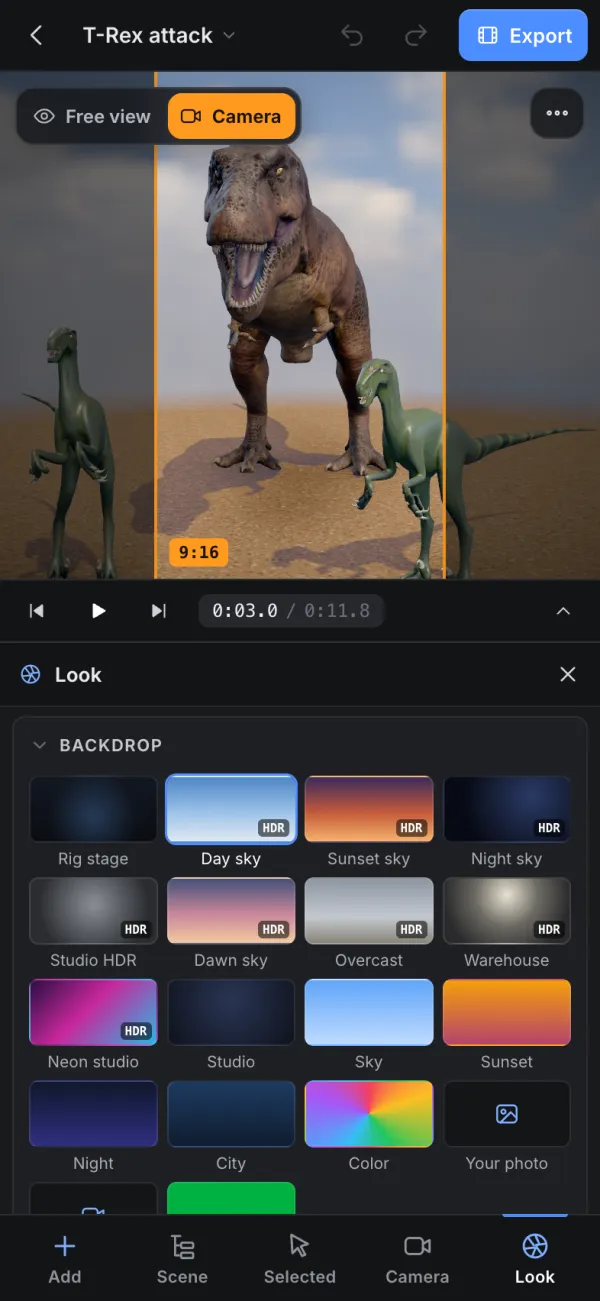
Props and gear to hold and wear (swords, shields, helmets, a jetpack, wings, a guitar), ready-made sets like Knight, Viking or Space in one tap, outfit colors, and furniture, cars, trees and 3D text to build the set. Light it with an HDR sky (day, sunset, night, dawn, neon studio) or lights of your own, pick a look (Cinematic, Toon or Clay), and add fire, smoke, sparks, magic, snow or confetti. Things fall and bounce with physics, and you can add music or record your voice, with lip-sync.
Save it to Photos. Or bring your own.
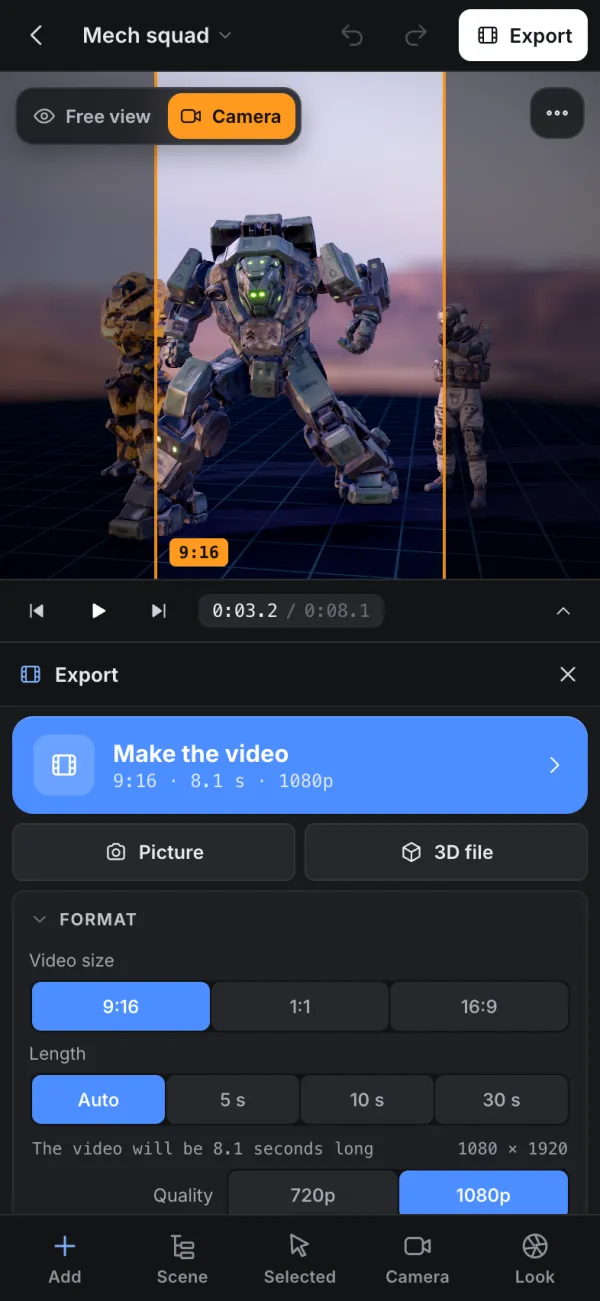
Make a video in 9:16 for TikTok, Reels and Shorts, square, or 16:9 for YouTube, and save it to Photos or share it to any app. Or take a picture of any moment, or a 3D file: the whole scene animated as a .glb for Blender, Unity, Unreal or Godot, or an OBJ or STL, saved to Files. Bring in your own GLB, glTF, FBX, OBJ, STL, PLY or DAE model too, and rig it on your iPhone by placing a few dots, or let our AI rig it in the cloud with Lifetime.
A full 3D animation studio, with AI rigging
AFK AI isn't only a rigging tool. It's a complete 3D animation studio on your iPhone: you direct scenes with characters, cameras, lights and effects, animate them on a timeline, and save finished shots to Photos. Rigging is built in, so your own models join the cast too.
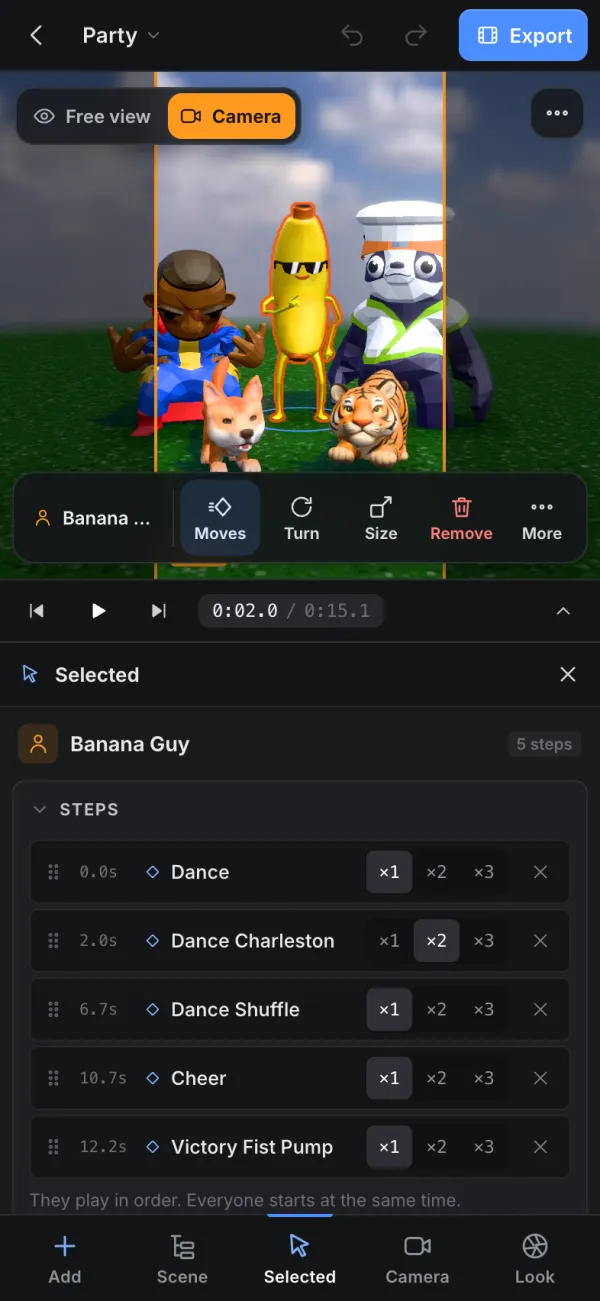
- Characters and moves:More than 80 rigged characters, from heroes and knights to robots, dinosaurs, dragons and over 30 animals, and hundreds of moves (sword fights, dances, feelings and everyday actions). Give each character its own list of moves, send it somewhere with Walk to, or drag it while the scene plays to record its path.
- Ready-made scenes:Short stories already animated, like DJ T-Rex, Abracadabra!, Professor Cat, Breaking news, Modern art and Say cheese!. Change the words, the characters and their moves to make one yours.
- Keyframes and a timeline:Pose a character and key it at a frame (with auto keying), pose hands and feet by dragging dots, and key the camera too. Moves, keys, sounds and camera all sit on one timeline.
- A real camera:Film a move with your fingers and have it smoothed into a cinematic orbit, push in, pan or crane, or pick Still, Push in, Orbit, Pan, Crane or Follow. Set the lens and focal length.
- Lighting and looks:HDR sky light (day, sunset, night, dawn, neon studio), your own point, spot, area and sun lights with shadows, and Cinematic, Toon or Clay looks with bloom, depth of field, motion blur, haze and film grain.
- Effects and physics:Fire, smoke, sparks, magic, snow, rain, confetti, embers, dust and bubbles. Things fall, bounce and collide with physics, and tails, wings and ears swing on like springs.
- Sets and sound:Props, gear, furniture, cars, trees, shapes and 3D text, your own photo or video as the set or a green screen, and music, sound effects, your recorded voice and lip-sync.
- The studio:Step inside your scene. Walk around it with the Move stick, look with the Look stick, and drag characters while you record: each take becomes a track.
- Rigging:Bring a GLB, FBX, OBJ or other 3D model and rig it on your iPhone by placing a few dots, or let our AI give it a skeleton in the cloud in about a minute, for humanoids, four-legged animals, birds, dragons, dinosaurs, spiders, snakes, fish and more.
- Export:Videos up to 1080p and 60 seconds in 9:16, square or 16:9, saved to Photos or shared to any app, pictures (also as PNGs with no background), and the whole animated scene as a GLB for Blender, Unity, Unreal or Godot, or as OBJ or STL.
Make a scene
Tap Create a scene in Collections and start from an empty stage or a ready-made scene. The editor has five tabs along the bottom and Export at the top:
- Add:Characters, props, shapes and 3D text, your own pictures and videos, sound, effects and lights.
- Scene:Everything in the scene, and the physics.
- Selected:What you've picked. For a character, its moves in order (play each one once, twice or three times, drag them round, or add Walk to and tap a spot), its gear, its outfit and Adjust.
- Camera:Record a camera move, or pick one: Still, Push in, Orbit, Pan, Crane or Follow.
- Look:Places, the sky or backdrop (your own photo or video, or a green screen), the lighting, the look and the floor.
One finger on a thing moves it, and on empty space looks around; two fingers zoom and slide. Everything can be undone, and your scenes are kept in Collections on your iPhone.
Adjust a move
Pick a character and open Adjust in the Selected tab to change how its moves look. It's the same animation controls as afk.ai/rig, with three tabs:
- Pose:Turn parts of the body. Raise or spread the arms, lean or twist the spine, tilt or turn the head.
- Movement:The speed, how strongly it moves, bounce, sway, follow-through, the head looking ahead, and how wide and high the feet go.
- Positions:Move and turn a hand, a foot or the whole body, and the limb reaches for it.
Choose All moves to change every move the character has, or This move for just one. Reset puts it back. To pose a hand or a foot at one moment, tap More on the character's bar, then Pose hands and feet, and drag the dots.
Open the 3D file in your game engine
Tap Export, then 3D file. Save the 3D file (GLB) saves the whole scene with its animation: every character's moves and walks, and the props and lights that move. Export as OBJ or Export as STL saves the scene as it is at the playhead, without animation, for modeling or 3D printing. On iPhone the file opens the share sheet: tap Save to Files, or AirDrop it straight to your Mac. Then open it in your 3D app or game engine:
- Blender:File, Import, glTF 2.0.
- Unity:With the glTFast package.
- Unreal Engine:5.1 and later import GLB directly.
- Godot:Drop it into your project and play its animation from the
AnimationPlayer. - three.js:Load it with
GLTFLoaderand play a clip with anAnimationMixer.
Rig your own 3D model on your iPhone
In a scene, tap Add, then Import a model, and pick a GLB, glTF, FBX, OBJ, STL, PLY or DAE file (or a .zip of one) from Files, up to 150 MB. Then:
- Should it move? No, and it goes in as an object that stays still, like a chair or a statue. Yes, and it gets a skeleton.
- What is it? Humanoid, Four-legged, Hoofed, Bird, Dragon, Dinosaur, Spider or insect, Flying insect or Snake, and under More, Fish, Kangaroo, Frog, Ghost or Object.
- How should we rig it? Place the joints yourself, on your iPhone: drag a few dots onto it (for a person, the chin, wrists, elbows, knees and hips), then try Walk, Wave, Dance and Jump to check it moves right. Or let our AI do it in the cloud in about a minute, with no dots to place: that comes with Lifetime.
Your model plays every move made for its body type, and you can adjust it and film it like any other character. It's kept in Collections under Models, so you can put it in any scene. Add a model in Collections sends a model straight to our AI, where you can also rig just one part of it.
Questions
Is AFK AI just an auto-rigger?
No. Rigging is one part of it. AFK AI is a full 3D animation studio: you build scenes with rigged characters, props, lights and effects, animate characters and the camera with moves and keyframes on a timeline, and render cinematic videos, pictures and 3D files on your iPhone. The rigging is there so your own models can be animated like the 80+ characters that come with it.
Is AFK AI free on iPhone?
Yes, it's free to download from the App Store, with no ads and no watermark. The free plan includes 3 scenes and 2 exports a month (a video, a picture or a 3D file), in 720p and videos up to 15 seconds, with every character but the 13 HD ones. Your free exports come back on the 1st of each month.
AFK AI Lifetime is one payment, with no subscription: unlimited scenes and exports, 1080p, videos up to 60 seconds, the HD characters, and 1,000 credits a month for our AI to rig your models in the cloud.
Do I need an account?
No. There's nothing to sign up for: open the app and start. Your scenes and models are kept on your iPhone. Lifetime is bought through the App Store and stays with your Apple Account, so on a new iPhone tap Restore purchases in the Account tab to bring it back.
Which iPhones does it work on?
iPhones with iOS 15 or later. Videos are made on the phone itself, so a newer iPhone renders them faster. Turn your phone sideways and the studio turns with it. It runs on iPad too, as an iPhone app.
Where do my videos go?
Videos and pictures are saved to Photos, or shared straight to any app from the share sheet. 3D files open the share sheet too, so you can save them to Files or AirDrop them to a computer.
Can I use the videos and 3D files in my own projects?
Yes. The characters and animations are CC0 or CC-BY licensed, with full credits in the app, and a model you bring in stays yours.
Can I rig a model I made in Blender?
Yes. Export it from Blender as GLB, glTF, FBX or OBJ, save it to Files (or AirDrop it to your iPhone), and in a scene tap Add, then Import a model. One character per file works best, standing in a natural pose with its arms or legs a little away from the body.
Is there an Android version?
Yes, the same app is on Google Play: see AFK AI for Android.
Is it the same as afk.ai in the browser?
The AI rigging, the animations and the Adjust controls are the same as afk.ai/rig. The app adds the ready-made characters and scenes, a 3D editor to put them together and film them, videos and pictures made on your iPhone, and Collections kept on the device.
Get AFK AI on your iPhone
Free on the App Store since November 27, 2026.

Scan with your iPhone to install