GuidesGuide4 min read
How to rig a VRChat avatar without Mixamo
Four ways to rig an avatar without Mixamo, and the whole path from a model to a Humanoid avatar in Unity, fingers included.
People usually go looking for another way when Mixamo says "unable to map your existing skeleton", when the character has a tail, wings or a huge coat that throws the markers off, or when they just don't want an Adobe account. Here are the alternatives, and the full path with the one we make.
Four ways to rig a VRChat avatar
| Tool | How it works | Fingers | Beyond humanoids | Runs on | Cost |
|---|---|---|---|---|---|
| Blender with Rigify | By hand: place a template skeleton, generate the rig, paint the weights | Yes | Yes, if you build it | Windows, Mac, Linux | Free |
| AccuRIG 2 | Automatic, from markers you place | Yes | Humanoids, odd proportions included | Windows only; export needs an ActorCore account | Free |
| Auto-Rig Pro | A Blender add-on that places the rig from a few markers | Yes | Yes, animals included | Blender | $25 to $50, once |
| afk.ai | An AI places the joints and paints the weights | Yes, three joints each | 15 body types | Your browser | Free to try |
Rigify gives you the most control and costs nothing, but expect an evening of weight painting the first time. AccuRIG is the closest thing to Mixamo, with more forgiving markers, on Windows. Auto-Rig Pro is what a lot of Blender users settle on. afk.ai is the quickest if you don't want to learn rigging at all.
With afk.ai, step by step
- Export your model as FBX, GLB, OBJ or VRM, or a ZIP with its textures. One character, standing with its arms a little away from the body.
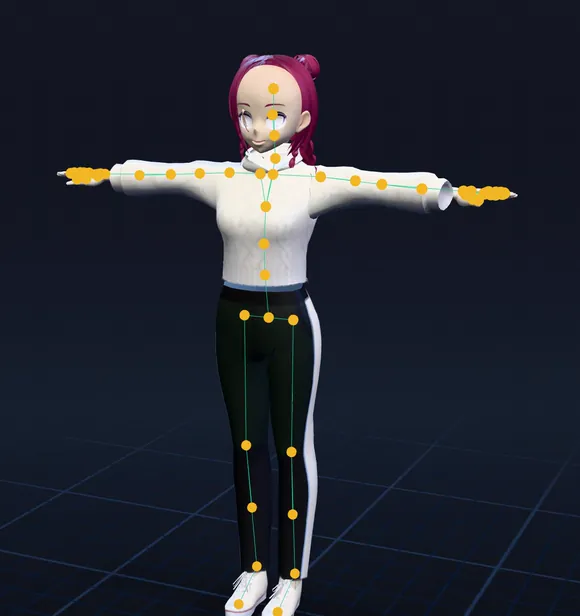
- Drop it on afk.ai/rig and pick Humanoid. The AI places the joints, fingers included, and paints the skin weights in about a minute.
- Check the bends. Play Walk, a dance and a wave. If an elbow or knee bends in the wrong place, open Adjust, Rig, Move joints and drag it.
- Download. Pick the animations you want as emotes and download the GLB, or Download rig only.
- Make it an FBX in Blender. File, Import, glTF 2.0. Then File, Export, FBX, with Add Leaf Bones off and Apply Scalings set to FBX All. We tested this with an afk.ai download in Blender 5.2: all 66 bones and every animation came through. Or skip Blender: pick FBX when you download, or use afk.ai's converter.
- Set it up in Unity 2022.3 as you would any avatar: Rig tab, Humanoid, then Configure and check the slots (the table below). Add a VRC Avatar Descriptor, set the view position, and Build & Publish. Our Mixamo VRChat guide covers those steps, the emotes and the poses; they're the same for any Humanoid avatar.
The skeleton, and where Unity puts it
afk.ai's humanoid skeleton is named the way Unreal Engine's mannequin is. In Unity's Configure screen, the slots take these bones:
| Unity slot | afk.ai bone |
|---|---|
| Hips | pelvis |
| Spine, Chest, Upper Chest | spine_01, spine_02, spine_03 |
| Neck, Head | neck_01, head |
| Shoulder, Upper Arm, Lower Arm, Hand | clavicle, upperarm, lowerarm, hand (_l and _r) |
| Upper Leg, Lower Leg, Foot, Toes | thigh, calf, foot, ball (_l and _r) |
| Thumb, Index, Middle, Ring, Little | thumb, index, middle, ring, pinky 01 to 03 |
VRChat needs the Neck and the Chest; both are there. There are no eye or jaw bones, so use your model's own blend shapes for lip sync and blinking.
root └ pelvis └ spine_01 └ spine_02 └ spine_03 └ neck_01 └ head └ clavicle_l └ upperarm_l └ lowerarm_l └ hand_l └ thumb_01_l thumb_02_l thumb_03_l └ index_01_l index_02_l index_03_l └ middle_01_l middle_02_l middle_03_l └ ring_01_l ring_02_l ring_03_l └ pinky_01_l pinky_02_l pinky_03_l └ clavicle_r ... (the same on the right) └ thigh_l └ calf_l └ foot_l └ ball_l └ thigh_r ... (the same on the right)Not human? Creature avatars
afk.ai also rigs four-legged and hoofed animals, birds, dragons, dinosaurs and more, each with a skeleton made for that body. In Unity those import as a Generic rig rather than Humanoid, and VRChat treats Generic avatars differently from humanoids, so try it with Build & Test before you publish.
- Dragon
- Four-legged
- Hoofed
- Dinosaur
- Spider
- Fish
Questions
Is there any way to rig a model for VRChat besides Mixamo?
Yes. Rig it by hand in Blender with Rigify, use AccuRIG 2 (free, Windows) or the Auto-Rig Pro add-on for Blender, or let an AI rig it in the browser with afk.ai. Any of them gives you a skeleton Unity can set up as a Humanoid avatar.
Does the afk.ai rig have fingers?
Yes. Every finger and the thumb have three joints, which Unity maps to its finger slots, so hand gestures show in VRChat.
Can I rig a VRoid or VRM model this way?
Yes, drop the VRM file on afk.ai/rig as it is and choose Use its skeleton. It keeps its own bones and skin weights, and its spring bones swing its hair and skirt while the animations play. The download is a GLB with that swing baked into the animations, not live physics, so for a VRChat avatar that keeps its physics, VRoid's own export for VRChat is still the better route. Our VRM animation guide shows the rest.
Does it set up lip sync or eye tracking?
No. It adds a skeleton and skin weights and leaves the face alone. Lip sync and blinking use your model's own blend shapes, set in the VRC Avatar Descriptor.
Will it work on Quest?
The rig will. Whether the avatar ranks well on Quest depends on your model: mobile avatars rank Good under about 10,000 triangles, and need their own Android build.
Why convert to FBX when Unity can read GLB?
VRChat avatars are normally set up from an FBX with Unity's Humanoid importer, and most VRChat guides and tools assume one. Converting in Blender takes a minute and avoids surprises.
Rig and animate your model
An AI rigs it in your browser, then hundreds of animations play on it. Download one GLB for any engine.
More guides
How-to
VRM to FBX, GLB to FBX and back: a 3D converter that keeps the animations
Any 3D model to GLB, FBX, USDZ, OBJ or STL in your browser, with its skeleton, skin weights, every keyframe and its face shapes kept.
Guide
Animation retargeting: add animations to a model that's already rigged
Add animations to a rigged model while keeping its skeleton, skin weights, physics, and existing animations.
How-to
VRM animation: upload a VRM, get it back with animations and its physics
Drop in a VRM, keep its skeleton and spring bones, and download it with the animations you pick. Face tracking is next.