GuidesGuide6 min read
Animation retargeting: Add animations to a model that's already rigged
Add animations to a rigged model while keeping its skeleton, skin weights, physics, and existing animations.
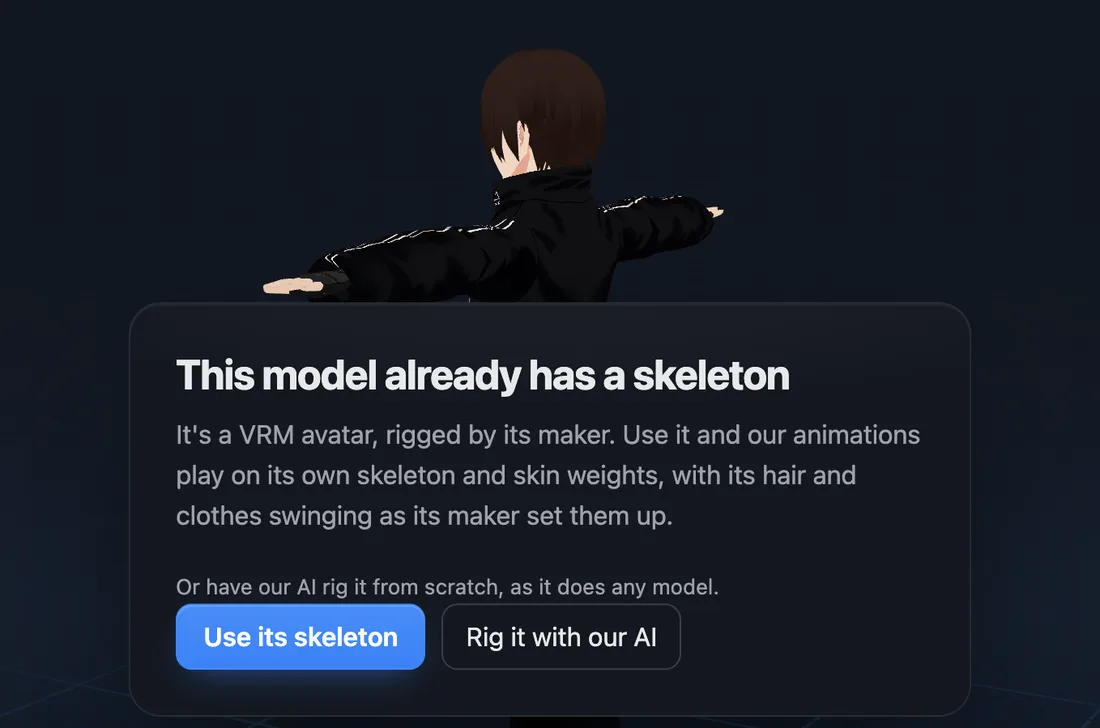
Animation retargeting means playing an animation made for one skeleton on another. afk.ai does it for any character that's already rigged, whether it's a humanoid, an animal, or a creature. Drop it on afk.ai/rig, choose Use its skeleton, and our animations play on its own bones: 594 for a humanoid, and a set made for each other body type.
How to add animations to a rigged model
- Export your model with its skeleton. Use a VRM, FBX, or GLB file, or a ZIP that includes its textures. VRM 0 and VRM 1.0 are both supported.
- Upload it to afk.ai/rig. afk.ai reads the skeleton and matches its bones to ours for that kind of body, then asks how you want to rig the model. Choose Use its skeleton.
- Wait for it to load. There's no AI step: your bones and weights are used as they are.
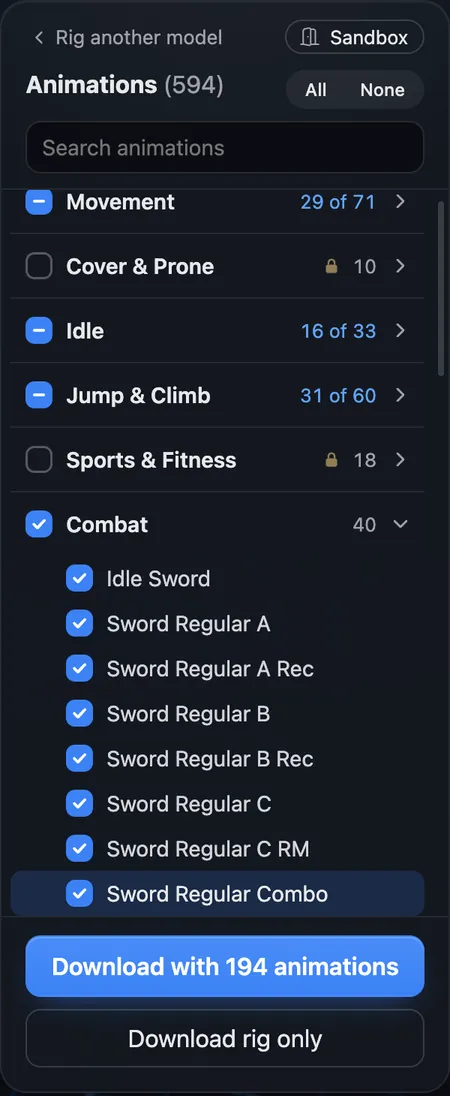
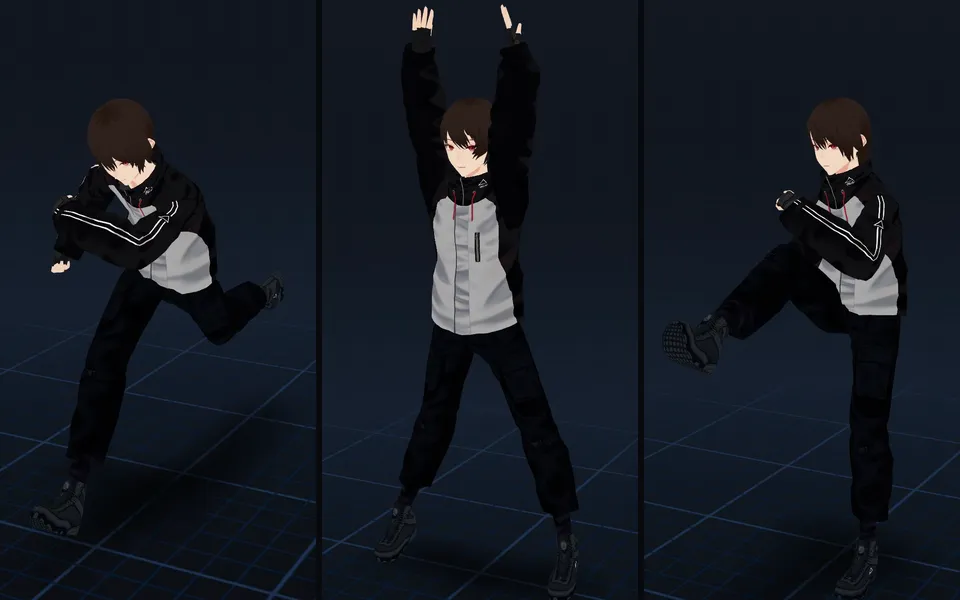
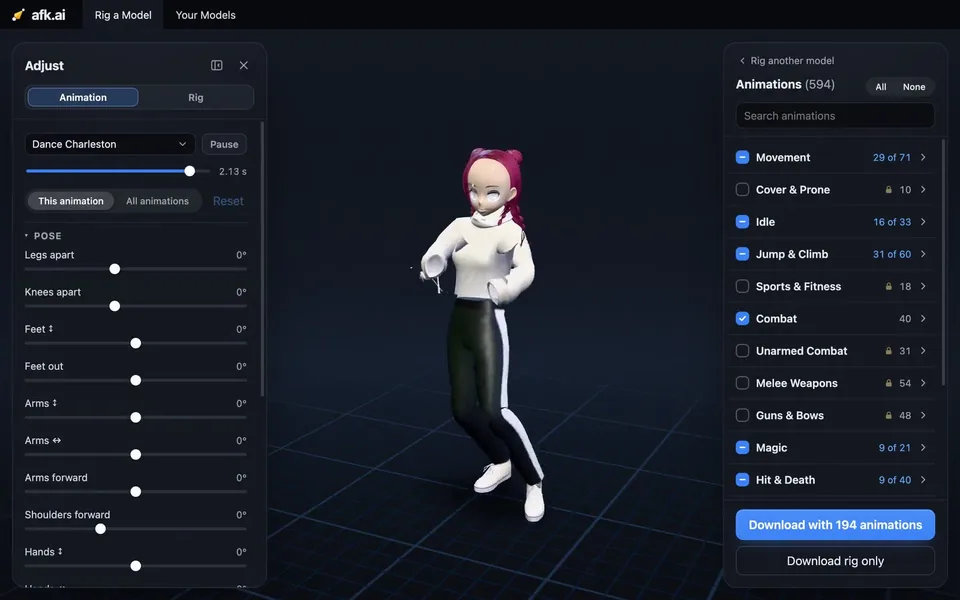
- Preview the animations. Every animation for its body type plays on your model's own bones: for a humanoid, all 594, including runs, dances, sword combos, spells, and emotes.
- Download a GLB with the animations you check, along with the ones the model already had.
What stays the same
Retargeting only changes how the bones move. The rest of your model comes through unchanged:
- Skeleton: every bone that deforms the mesh is kept, including bones specific to your model, such as hair, skirts, jacket hems, sleeves, eyes, and accessories. Those bones keep their original names.
- Skin weights: they aren't repainted, smoothed, or cleaned up. Each vertex follows the same bones with the same weights.
- Physics: spring bones and their colliders keep the settings the model's creator gave them.
- Existing animations: they stay in the file under their original names, next to the new ones.
- Mesh and materials: the vertices and textures are the same. Mesh parts that shared one large pool of vertices keep only the vertices they use, so the file is often smaller.
We tested this with VRoid Studio's AvatarSample_C. All 18,347 vertices and 14 materials were preserved, and the model's 36 extra bones (20 for the hair, 14 for the coat tails, and 2 for the eyes) were kept alongside afk.ai's 66 body bones. With five animations, the download was 7.3 MB, compared with 13.1 MB for the original VRM.
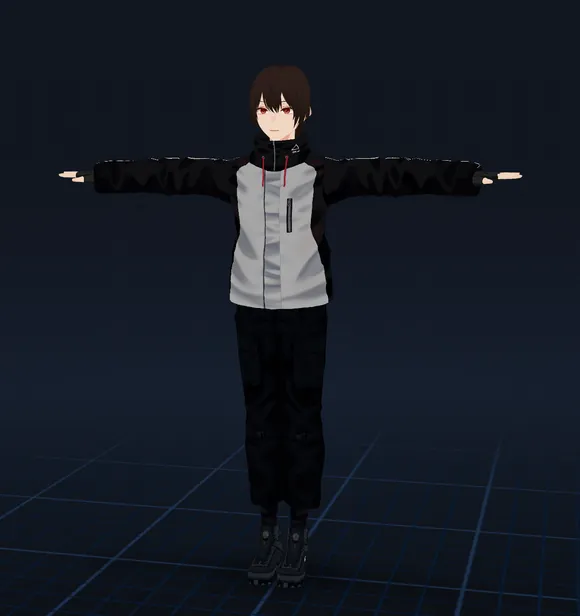
1As it came
Rigged, weighted and set up with spring bones by its maker
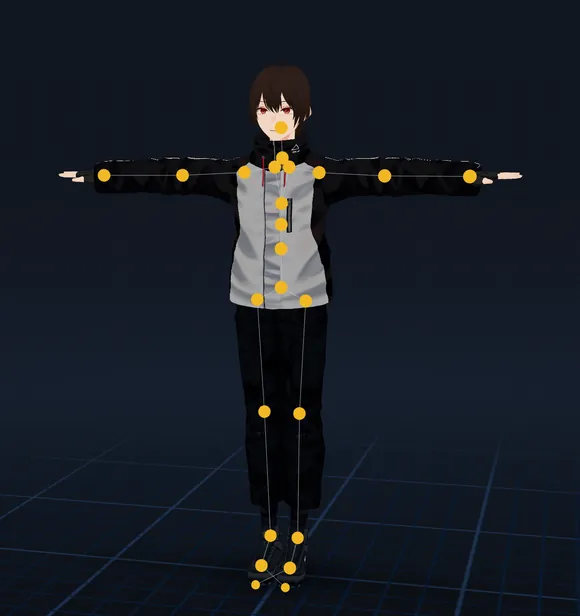
2Its skeleton
Its body’s joints matched bone for bone, where its maker put them
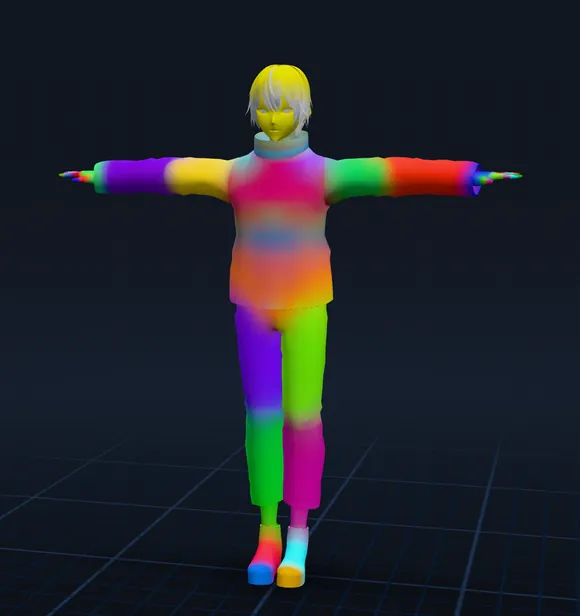
3Its skin weights
Not repainted: each color is the part one body bone moves; hair and coat stay on their own bones
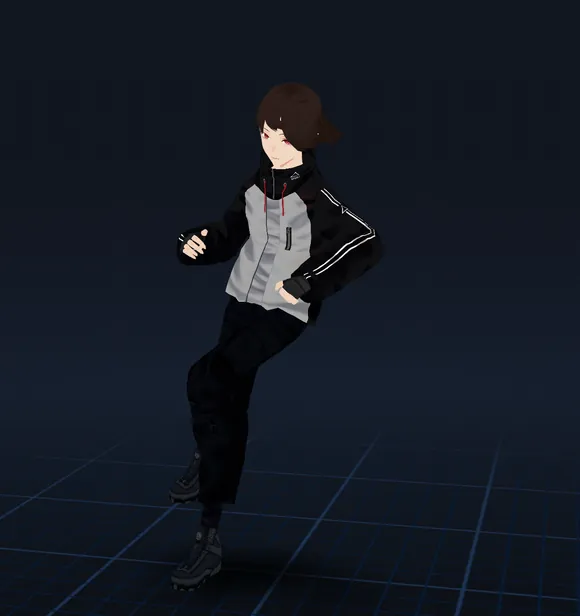
4Animated
afk.ai’s animations on its own bones, the hair swinging
Hair and cloth physics
Hair and clothing on a VRM move with spring bones: chains of extra bones with stiffness, drag, gravity, and colliders that keep them from passing through the body. afk.ai reads the spring bones from the file (VRM 0 or VRM 1.0) and simulates them while each animation plays, so the hair and coat tails react to the motion.
GLB and FBX files can't store spring bones, so the download bakes their motion into each animation as keyframes on those bones. The result plays the same way in Blender, Unity, Unreal Engine, or any glTF viewer, with no physics setup needed.
Existing animations
If your model already has animations, they're kept. They're included in the download under their original names and use the same skeleton as the new ones, so a game character keeps the idle and attack animations it came with.
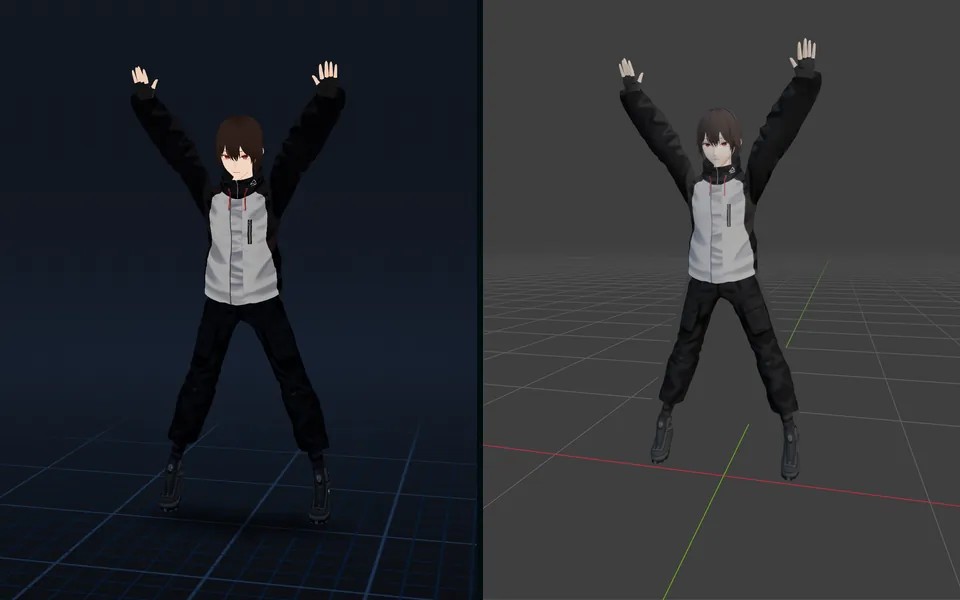
Both sets use the same bones, weights, and physics. You can preview them side by side on afk.ai/rig before you download.
AvatarSample_C.vrm
- Skeleton · the body, 20 hair bones, 14 for the coat tails, 2 eyes
- Skin weights · painted by its maker, on 18,347 vertices
- Spring bones · 13 chains on the hair and coat, 22 colliders
- Animations · Idle, Greeting
AvatarSample_C.glb
- Skeleton · afk.ai’s 66 body bones, named like Unreal’s mannequin, and its 36 own
- Skin weights · unchanged, on the same 18,347 vertices
- Spring bones · their swing baked into every animation
- Animations · Idle, Greeting, and the ones you checked: Sword Regular Combo, Vault, Roll, Dance Groove…
Supported rigs
afk.ai keeps the skeleton of any rigged character: humanoids, four-legged animals, hoofed animals, birds, dragons, dinosaurs, and other creatures.
For a humanoid, it needs hips, a spine, a head, two arms with hands, and two legs with feet. Fingers, toes, and an upper chest are optional. A VRM is matched using its humanoid bone labels (more on VRMs). Other humanoid rigs are matched by bone name, in any of the naming conventions below, with or without a prefix such as mixamorig: or Armature|.
For an animal or creature, or a humanoid whose bone names don't follow any of these conventions, afk.ai matches the bones by their names, how they connect, and where they sit. Then it checks the match against where each bone should be: the legs below the body, left on the left, the tail behind. If the match doesn't hold up, the model is rigged by our AI instead.
Twist, roll, IK, helper, and end bones aren't changed, and neither are hair, cloth, tail, or other bones that aren't part of the body. They stay as they were, with their weights.
| Rig | Bone naming | Example |
|---|---|---|
| VRM 0 and 1.0 | VRM humanoid labels | leftUpperArm |
| Mixamo | Mixamo | mixamorig:LeftForeArm |
| VRoid (exported as FBX) | VRoid | J_Bip_L_LowerArm |
| Unreal Engine | UE mannequin | lowerarm_l |
| Unity and Ready Player Me | Unity Humanoid | LeftLowerArm |
| 3ds Max | Biped | Bip01 L Forearm |
- Sprint
- Dance Groove
- Two-hand Blast
- Roll
- Attack Ground Pound
- Dodge Left
Using the download
- Blender: choose File > Import > glTF 2.0. Each animation is imported as an action, with the physics baked in.
- Unity: choose FBX when you download, then set the Rig tab to Humanoid. You can also import the GLB with glTFast.
- Unreal Engine: download an FBX, or import the GLB. The body bones use the UE mannequin's names (pelvis, spine_01, thigh_l), so Unreal's IK Retargeter can map them automatically.
- Godot and three.js: load the GLB directly.
- VRChat and VTubing apps: these need a Unity avatar or a VRM. Your hair and cloth bones keep their names, so you can add PhysBones or spring bones back onto the same bones.
Questions
What is animation retargeting?
It's playing an animation made for one skeleton on a different one. The bones have to be matched, and the motion has to be adjusted for differences in rest pose and proportions. afk.ai handles both when your model is already rigged.
Can I add animations to a model that already has animations?
Yes. Its existing animations stay in the file under their original names, and the animations you choose from afk.ai's 594 are added next to them, on the same skeleton.
Will retargeting change my skin weights?
No. Your model's weights stay exactly as they are on every bone, including the extra bones for hair and clothing.
Does it keep hair and cloth physics?
For a VRM, yes. Its spring bones are simulated while the animations play, and their motion is baked into the download as keyframes. An FBX or GLB file doesn't store physics, because the physics was set up in the app the model was made in. Its hair and cloth bones and their weights are kept, so you can set up physics on them again in your engine.
Do I need Unity, Blender, or a bone map?
No. You do everything in your browser at afk.ai/rig: upload the model, choose Use its skeleton, select animations, and download.
What if my model's skeleton isn't recognized?
Then you won't be asked about it. afk.ai's AI rigs the model from scratch, as it does any model, with a new skeleton that includes fingers.
Does it keep my model's facial expressions?
Not in the download yet. The body, hair, and clothing come through. Face shapes (blend shapes) will be supported along with VRM export.
Does it work for a rigged animal or creature?
Yes. Pick its body type when you upload it, such as four-legged or hoofed, and choose Use its skeleton. A rigged dog or horse keeps its own skeleton and skin weights, and its tail and ears come along. It gets that body type's animations.
How many animations are there, and is it free?
There are 594 animations for humanoids. You can rig 3 models a month for free and preview every animation on them. A free account can download 3 animations a month, and Pro unlocks all of them.
Rig and animate your model
An AI rigs it in your browser, then hundreds of animations play on it. Download one GLB for any engine.
More guides
How-to
VRM to FBX, GLB to FBX and back: a 3D converter that keeps the animations
Any 3D model to GLB, FBX, USDZ, OBJ or STL in your browser, with its skeleton, skin weights, every keyframe and its face shapes kept.
How-to
VRM animation: upload a VRM, get it back with animations and its physics
Drop in a VRM, keep its skeleton and spring bones, and download it with the animations you pick. Face tracking is next.
Guide
A 3D character animation toolkit in one browser tab: rig, animate, adjust, and export
Drop in a model, and an AI rigs it. Then hundreds of animations made for its skeleton play on it. Adjust them with sliders, and download one file for any engine.