GuidesHow-to4 min read
VRM animation: Upload a VRM, get it back with animations and its physics
Drop in a VRM, keep its skeleton and spring bones, and download it with the animations you pick. Face tracking is next.
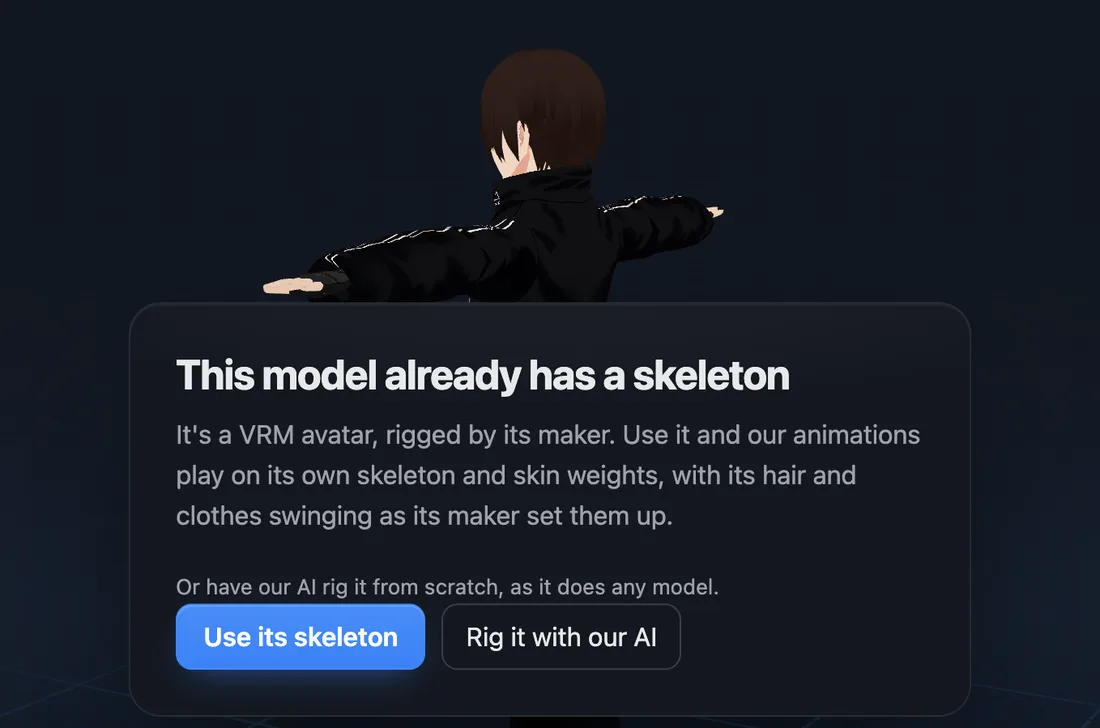
afk.ai now rigs a VRM with its own skeleton. Drop the file on afk.ai/rig and choose Use its skeleton. About 10 seconds later our animations play on your avatar, its hair and skirt swinging the way its maker set them up. No Unity, no bone mapping, no retargeting.
How it works
- Get your VRM. In VRoid Studio, use Export, VRM. A VRM downloaded from VRoid Hub or Booth works as it is. VRM 0 and VRM 1.0 both work.
- Drop it on afk.ai/rig. It reads the VRM's own humanoid bones and asks whether to use them. Choose Use its skeleton.
- Wait about 10 seconds. Our skeleton goes onto your avatar's joints exactly, and its skin weights stay as its maker painted them. Nothing is guessed.
- Play the animations. Runs, dances, sword combos, spells and emotes, 594 in all. Hair, skirts and anything else on a spring bone swing as they play.
- Download a GLB with the ones you tick. The swing is baked into each animation, so it plays the same in any app.
What comes along from your VRM
Everything that moves the body. The download is a GLB, not a VRM, so the few things only a VRM file can hold stay behind for now.
In the download, the body's bones take afk.ai's names (pelvis, spine_01, thigh_l, like Unreal's mannequin), which is how one set of animations fits every afk.ai rig. The extra bones keep the names your VRM gave them.
| In your VRM | On afk.ai |
|---|---|
| Humanoid skeleton | Used bone for bone, from the VRM's own labels |
| Skin weights | Kept exactly as they are |
| Hair, skirt, sleeve and accessory bones | Kept, and in the download |
| Spring bones and colliders | Swing while animations play, and baked into the download |
| VRM 1.0 constraints | Followed: a twist or sleeve bone turns with the bone that drives it |
| Textures | Kept |
| Face expressions | Not in the download yet: coming soon |
| Toon shading (MToon) | A VRM-only setting, so it isn't in the GLB |
Its own skeleton, or our AI?
You get to pick. For a VRM, Use its skeleton is almost always the one: it's quicker, its weights were made by hand for that avatar, and its hair and clothes swing.
Rig it with our AI rigs it from scratch, as afk.ai does any model. It's there for an avatar whose own skeleton is broken.
Changed your mind after rigging? The Adjust panel's Rig tab has Rig it with our AI instead.
One VRM, every animation
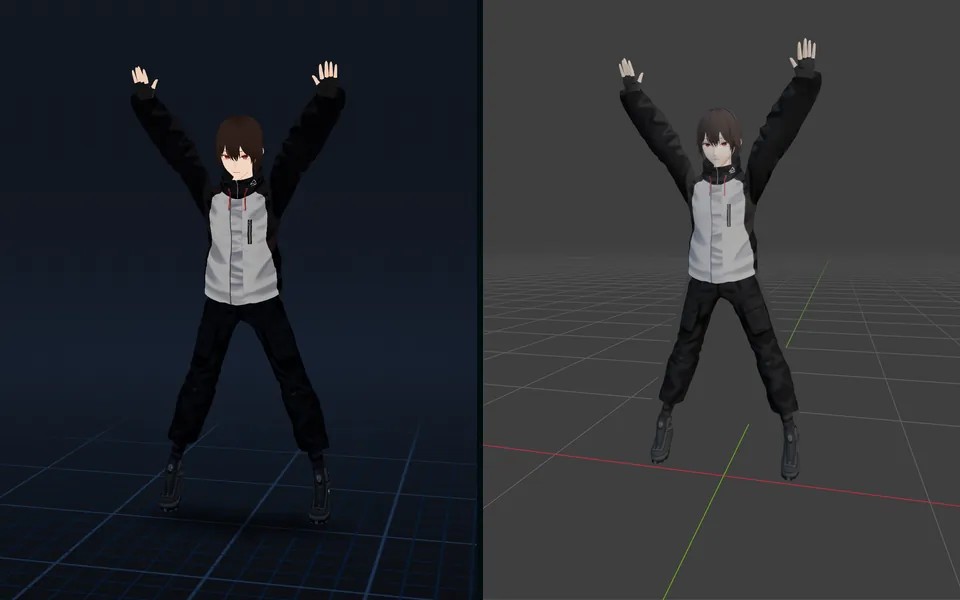
Every humanoid animation in afk.ai's library plays on a VRM: the same 594 any humanoid gets. We tried VRMs made in VRoid Studio and by hand, VRM 0 and 1.0, and each one was matched and rigged in seconds. Here's VRoid Studio's AvatarSample_C with six of them.
- Run Anime
- Dance Charleston
- Kick
- Dance Shuffle
- Jumping Jacks
- Victory Fist Pump
Rigged humanoids that aren't VRMs
The same question comes up for any upload that's already rigged as a humanoid afk.ai can match: a Mixamo character, a VRoid model exported as FBX, an Unreal mannequin, a Unity Humanoid or a Biped rig. It matches the bones by name and keeps the extra ones. Only a VRM carries spring bones, though, so on the others hair and clothes move with the bones they're weighted to. More on this in animation retargeting.
Using the download
- Blender
- File, Import, glTF 2.0. Each animation comes in as an action. Need an FBX? Pick FBX when you download, or use afk.ai's converter.
- Unity
- Pick FBX when you download, for a Humanoid avatar, or import the GLB with glTFast.
- Unreal, Godot and three.js
- Load the GLB as it is.
- VTubing apps
- VSeeFace, Warudo and VNyan need a VRM. That's what's coming next.
Coming soon: any model to a VRM, with face tracking and physics
Next, it goes the other way. Drop in any character, even an FBX, GLB or OBJ with no skeleton and no face rig, and get back a VRM. It'll be rigged, with face shapes that follow your face through a webcam or phone for blinking, talking and expressions, and spring bone physics on its hair and clothes. Ready to load into a VTubing app.
Your model
Any character, even one with no skeleton or face shapes
avatar.vrmComing soon
- Humanoid skeleton · Fitted by the AI, fingers included
- Face tracking · Shapes for blinking, talking and expressions, driven by your webcam or phone
- Physics · Spring bones on its hair and clothes
Questions
Can I upload a VRM file to afk.ai?
Yes. Drop the .vrm on afk.ai/rig as it is, VRM 0 or VRM 1.0. Choose Use its skeleton and our animations play on its own bones.
Does it keep my VRM's spring bones?
Yes. Hair, skirts and anything else on a spring bone swing while the animations play, with the VRM's colliders keeping them out of the body. In the download, the swing is baked into each animation as keyframes, since GLB and FBX files can't hold spring bones.
Do I get a VRM file back?
Not yet. You get a GLB with the animations you picked. Exporting a VRM, with face tracking and physics, is coming soon.
Are my VRM's facial expressions kept?
Not in the download yet. The body, hair and clothes come along. Face shapes are coming with the VRM export.
Can I animate a VRoid model without Unity?
Yes. Export it from VRoid Studio as a VRM, drop it on afk.ai/rig and play the animations in your browser. There's nothing to install and nothing to retarget.
What if afk.ai doesn't recognize my VRM's skeleton?
Then it doesn't ask. It goes straight to the AI, which rigs the avatar from scratch like any other model, fingers included.
How many animations are there, and is it free?
594 for a humanoid, VRM or not. You can rig 3 models a month for free and play every animation on them. A free account downloads 3 animations a month, and Pro unlocks every one.
Rig and animate your model
An AI rigs it in your browser, then hundreds of animations play on it. Download one GLB for any engine.
More guides
How-to
VRM to FBX, GLB to FBX and back: a 3D converter that keeps the animations
Any 3D model to GLB, FBX, USDZ, OBJ or STL in your browser, with its skeleton, skin weights, every keyframe and its face shapes kept.
Guide
Animation retargeting: add animations to a model that's already rigged
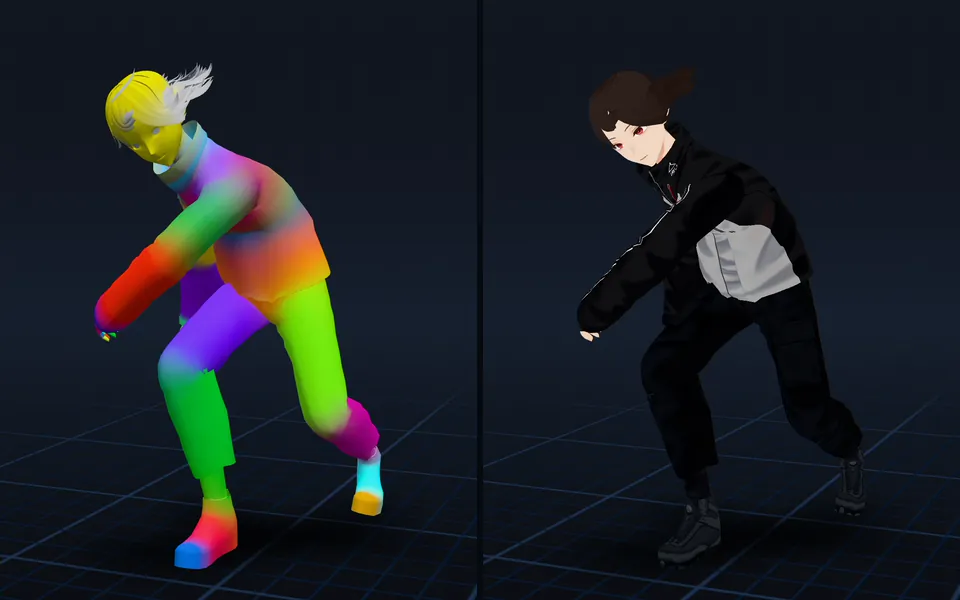
Add animations to a rigged model while keeping its skeleton, skin weights, physics, and existing animations.
Guide
A 3D character animation toolkit in one browser tab: rig, animate, adjust, and export
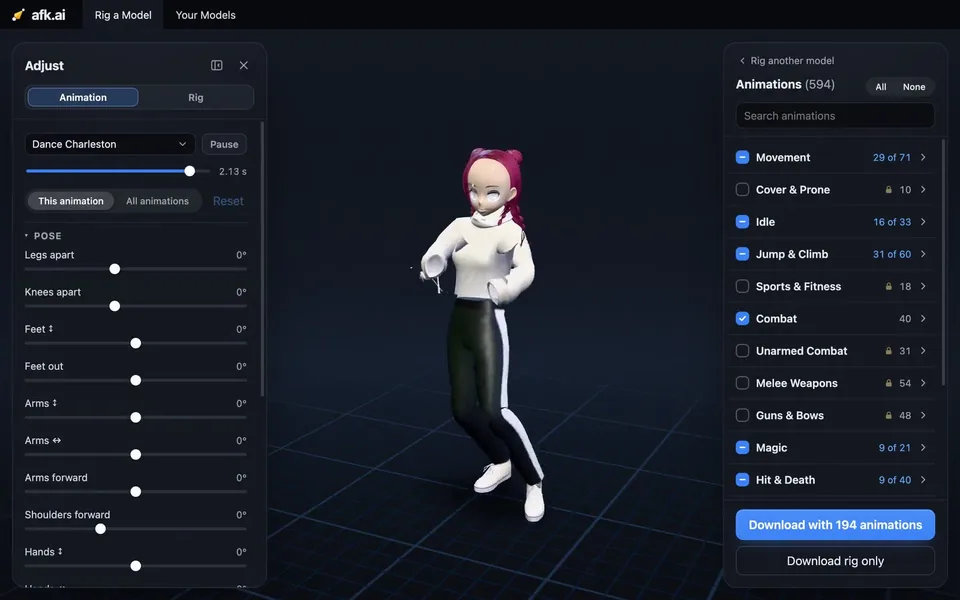
Drop in a model, and an AI rigs it. Then hundreds of animations made for its skeleton play on it. Adjust them with sliders, and download one file for any engine.