GuidesGuide4 min read
A 3D character animation toolkit in one browser tab: Rig, animate, adjust, and export
Drop in a model, and an AI rigs it. Then hundreds of animations made for its skeleton play on it. Adjust them with sliders, and download one file for any engine.
Getting a 3D character to move usually takes a whole chain of tools. You rig it in one (or by hand in Blender), find animations in another, retarget them to your skeleton, fix whatever breaks, and export. Every handoff is a chance for the scale, the bone names, or the rest pose to go wrong.
afk.ai does all of those jobs on one page. Drop in a model, pick what kind of character it is, and about a minute later, it's walking, dancing, and fighting.
What's in the toolkit
| Job | What afk.ai does |
|---|---|
| Rigging | An AI places the joints and paints the skin weights for people and 14 other body types |
| Animation | 593 animations for humanoids, plus a set made for each creature's skeleton |
| Adjusting | Sliders for pose, timing, and position, plus fixes for arms that sink into the body and for torn skin |
| Export | One GLB or FBX file with the mesh, the skeleton, the skin, and every animation you select |
| Scenes and video | Put characters on a stage and film them with a camera you move with your fingers in AFK AI for Android |
| Code | The same rigging from a terminal, your own code, or an AI agent, through the rigging API |
1. Rig: the skeleton, placed for you
Rigging is the part that takes hours by hand. A skeleton has to sit inside the mesh with each joint where the body bends, and every vertex has to be told which bones move it and by how much (its skin weights). Get the weights wrong, and an elbow folds like paper.
afk.ai's AI does both from the mesh alone. There are no markers to place, and it doesn't matter whether your model already has a skeleton.
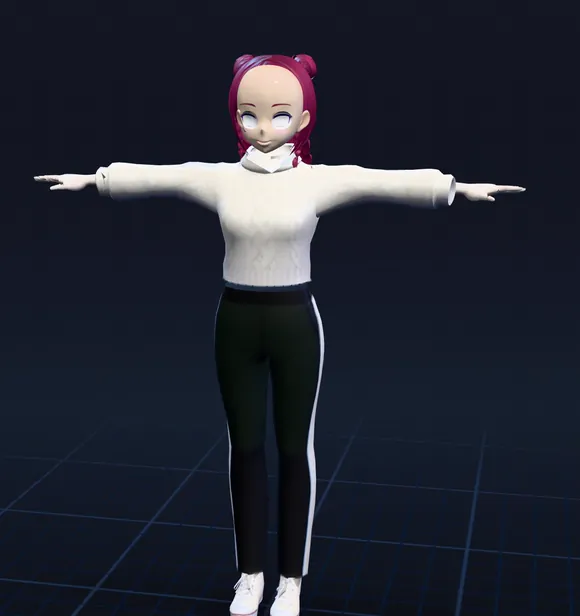
1Your model
A plain mesh: no bones, nothing can move
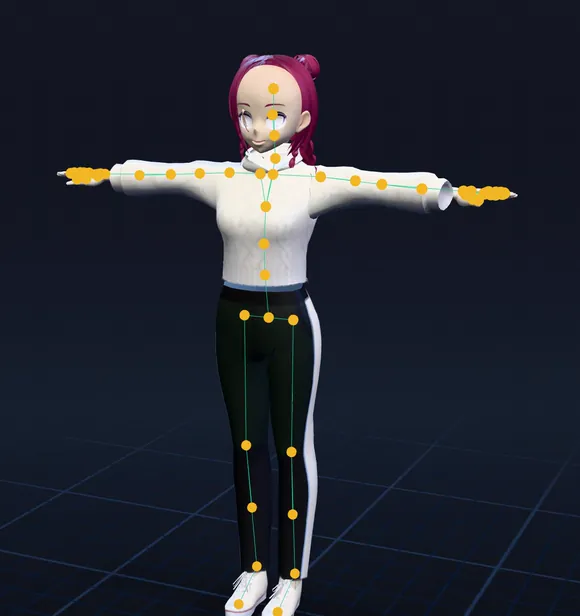
2Joints placed
The AI finds the hips, knees, elbows, neck and every finger
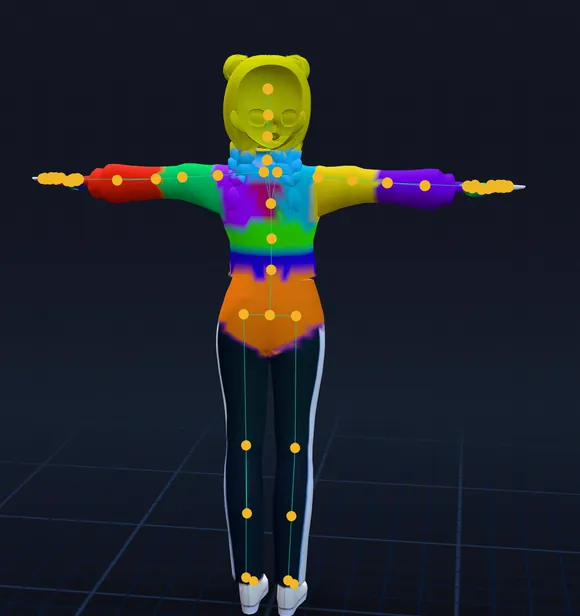
3Skin weights
Each color is the part of the mesh one bone moves
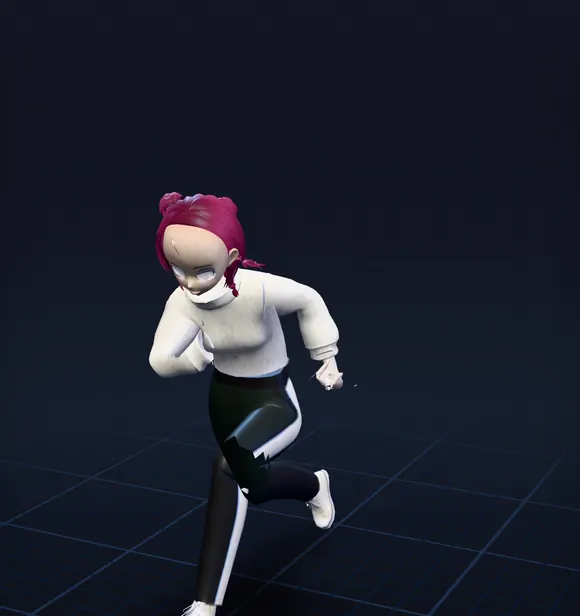
4Animated
Every animation made for the skeleton plays on it
One question: what is it?
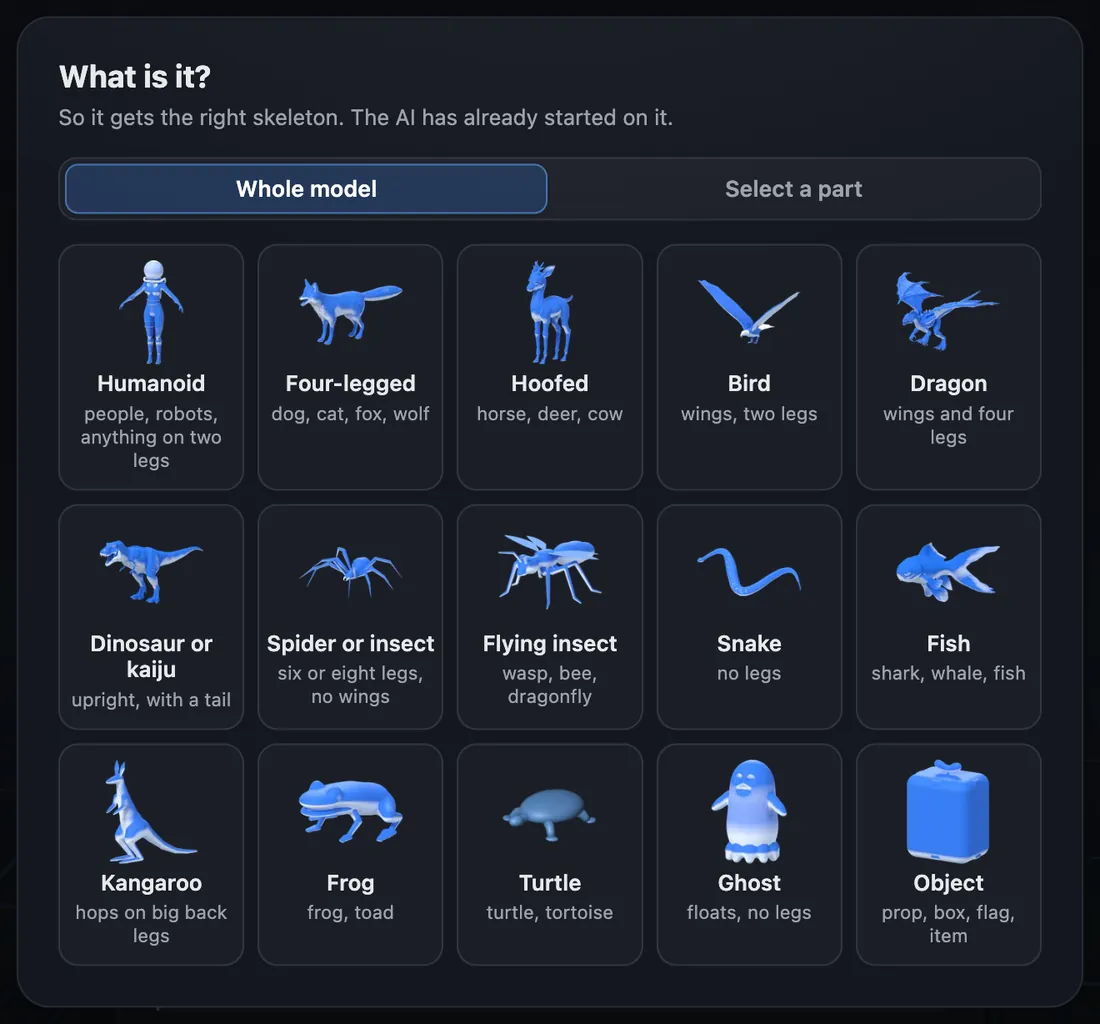
The only thing it asks is what you've uploaded. Your answer picks the skeleton, so a fox gets four legs and a tail, and a dragon gets wings. Humanoids are just one of 15 body types, each with animations made for it.
2. Animate: a library made for the skeleton
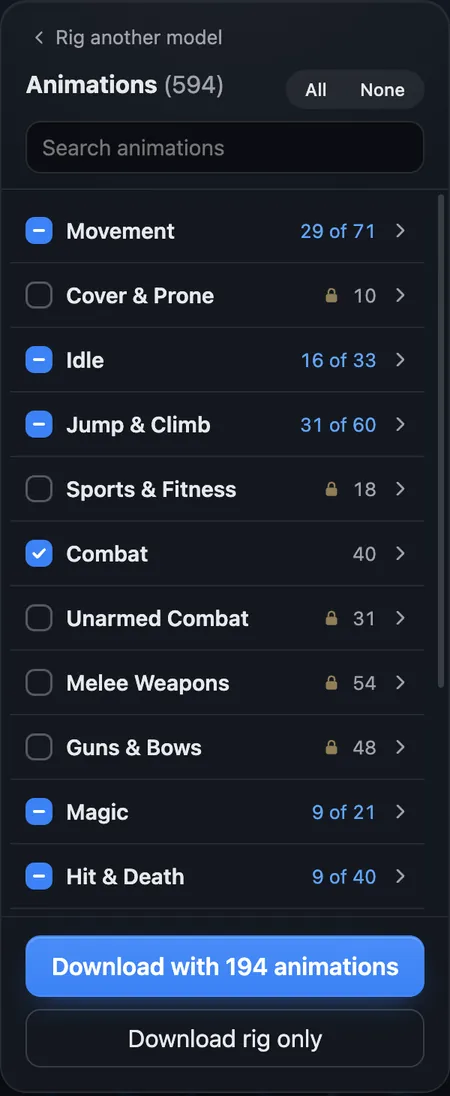
afk.ai always fits its own skeleton, so every animation in its library works on your character as is. There's no retargeting and no bone mapping. A humanoid gets 593 of them: walks, runs, and sprints; idles; climbing and vaulting; sword, bow, and gun moves; spells; dances and emotes; and hits and deaths. You can play any of them on your model before you download anything.
- Run Anime
- Dance Charleston
- Jumping Jacks
- Sword Combo
3. Adjust: fix the motion without keyframes
A heavy knight and a slim anime character shouldn't swing their arms the same way. The Adjust panel changes an animation while it plays: legs wider apart, arms lower, shoulders forward, a slower pace, a hand pushed out. You can change one animation or all of them at once.
When something looks off, the Rig tab has the fixes:
- Keep arms out of the body: lifts the arms clear of a wide body in every animation.
- Fix skin tears: closes gaps where the mesh splits as it bends.
- Move joints: drag a knee, elbow, or hip to where the body actually bends.
- Fix a spot: pick a spot that pinches, tears, or moves with the wrong body part.
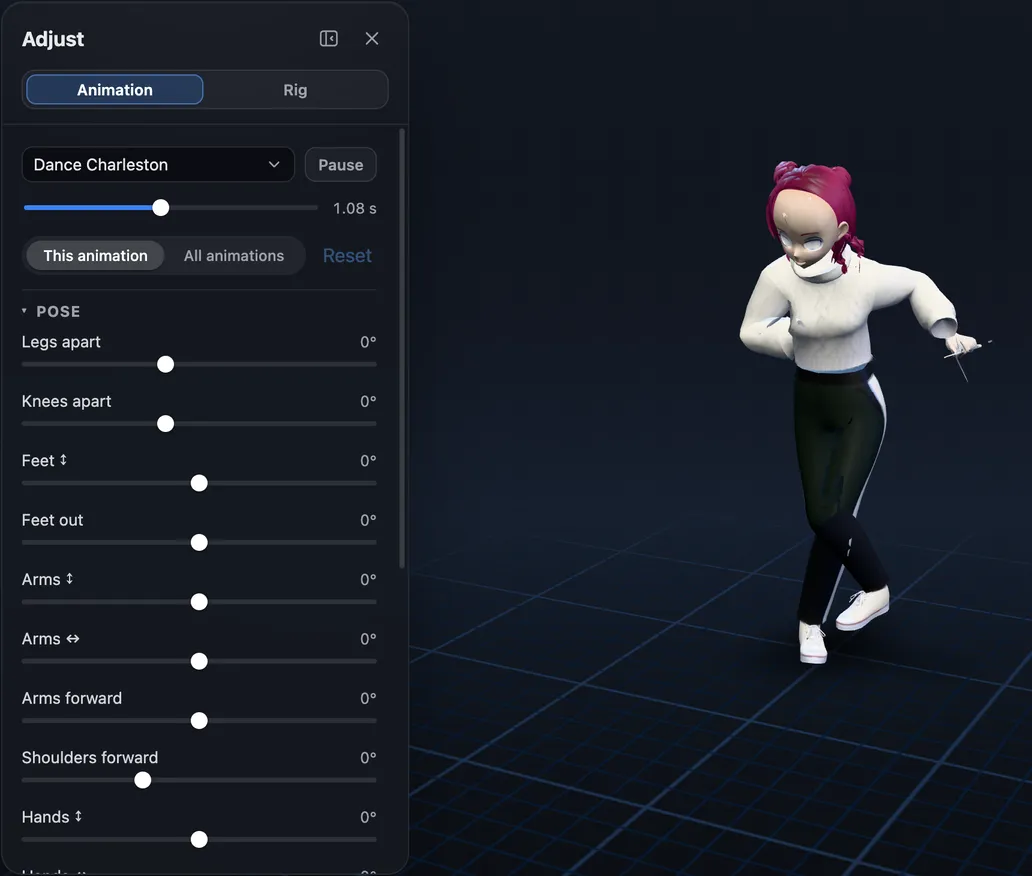
Animation
Pose, movement and position sliders, for one animation or all of them
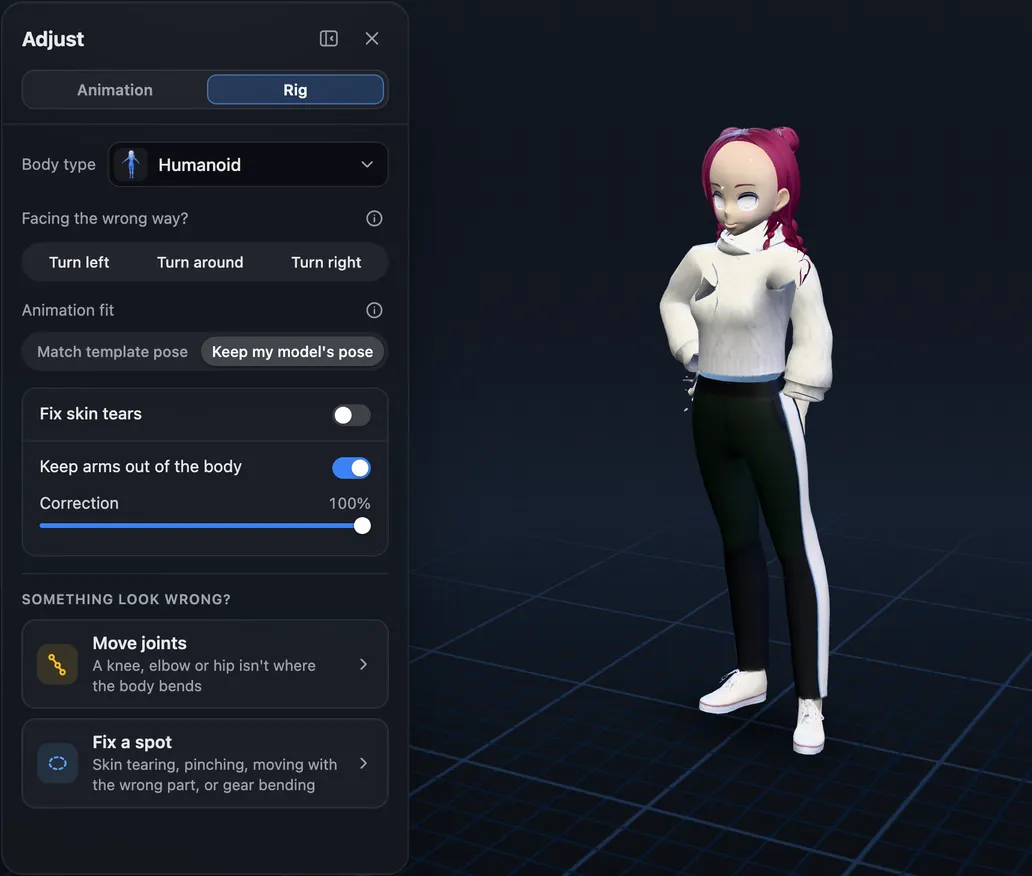
Rig
Keep arms out of the body, fix skin tears, move a joint or fix a spot
4. Export: one file for every engine
The download is a GLB file with the mesh, the skeleton, the skin weights, and each animation as its own clip. It opens in all of these without any conversion:
Need FBX? Pick FBX when you download, and you get the same character in an FBX file, with each animation as its own take. The FBX guide shows how to use it in Unity, Unreal, Blender, and Godot.
- Blender
- File > Import > glTF 2.0.
- Unity
- Download an FBX, or import the GLB with the glTFast package.
- Unreal Engine
- Versions 5.1 and later import GLB files directly.
- Godot
- Drop it into your project, and the clips show up in its AnimationPlayer.
- three.js and Babylon.js
- Load the file and play a clip.
Not just people
Most auto-riggers stop at humanoids. afk.ai has skeletons and animations for four-legged and hoofed animals, birds, dragons, dinosaurs, spiders, flying insects, snakes, fish, kangaroos, frogs, turtles, ghosts, and props. The animal guide walks through each one.
- Dragon
- Four-legged
- Hoofed
- Dinosaur
- Spider
- Fish
Questions
What is a 3D character animation toolkit?
It's the set of tools that takes a 3D character from a still model to a moving one: something to rig it (a skeleton and skin weights), animations, a way to adjust them, and an export your engine can read. Many people piece one together from Blender, Mixamo, and a game engine. afk.ai is a 3D character animation toolkit that handles the rigging, the animations, the adjusting, and the export in one browser tab.
Is it free?
You can rig your model and preview every animation on it for free. A free account can download a few animations a month. Pro, a monthly plan, lets you download all of them for every model.
What files can I upload?
GLB, glTF, FBX, OBJ, STL, PLY, DAE, USDZ, or VRM, or a ZIP file with the model and its textures. One character per file works best, standing in a natural pose with its arms slightly away from its body.
Do I need to install anything?
No. It runs in your browser, and the AI rigging runs on our cloud GPUs.
Does it keep my model's look?
Yes. The mesh, materials, and textures are the ones you uploaded. Only the skeleton and skin weights are new.
Can I use the animations in a commercial game?
Yes. The animations are CC0, and your model stays yours.
Rig and animate your model
An AI rigs it in your browser, then hundreds of animations play on it. Download one GLB for any engine.
More guides
How-to
VRM to FBX, GLB to FBX and back: a 3D converter that keeps the animations
Any 3D model to GLB, FBX, USDZ, OBJ or STL in your browser, with its skeleton, skin weights, every keyframe and its face shapes kept.
Guide
Animation retargeting: add animations to a model that's already rigged
Add animations to a rigged model while keeping its skeleton, skin weights, physics, and existing animations.
How-to
VRM animation: upload a VRM, get it back with animations and its physics
Drop in a VRM, keep its skeleton and spring bones, and download it with the animations you pick. Face tracking is next.