GuidesGuide5 min read
Rigged, animated characters for your game: From any 3D model to Unity, Unreal, or Godot
Drop in a character, a creature, or a prop, and an AI rigs it. Hundreds of animations made for its skeleton play on it, and you download one file for your engine.
Modeling a character is only half the job. Before it can move in your game, it needs a skeleton, skin weights that bend cleanly, animations that fit it, and a file your engine can read without breaking the scale or the bone names. That part can take hours or days per character.
afk.ai does it in about a minute. Drop in a model, pick what kind of body it has, and an AI rigs it. Every animation for that body plays on it right away, and you download a GLB or FBX for Unity, Unreal Engine, Godot, or the web.
What you get
| Part | What afk.ai gives you |
|---|---|
| Skeleton | Placed by an AI from the mesh alone: a 66-bone humanoid with fingers, named like Unreal's mannequin, or a skeleton made for one of 14 other body types |
| Skin weights | Painted for you, with fixes for arms that sink into the body and skin that tears |
| Animations | 592 for humanoids and 12 to 27 for each creature, all made for its skeleton |
| Files | GLB or FBX, with every animation you select as its own clip (USDZ, OBJ, and STL too) |
| Automation | A command-line tool, a JavaScript client, and an MCP server for AI agents, through the rigging API |
1. Rig any character, creature, or prop
Upload a GLB, glTF, FBX, OBJ, STL, PLY, DAE, USDZ, or VRM file, or a ZIP with the model and its textures. It doesn't matter whether it already has a skeleton. The AI places the joints where the body bends and paints the skin weights, with no markers to place by hand.
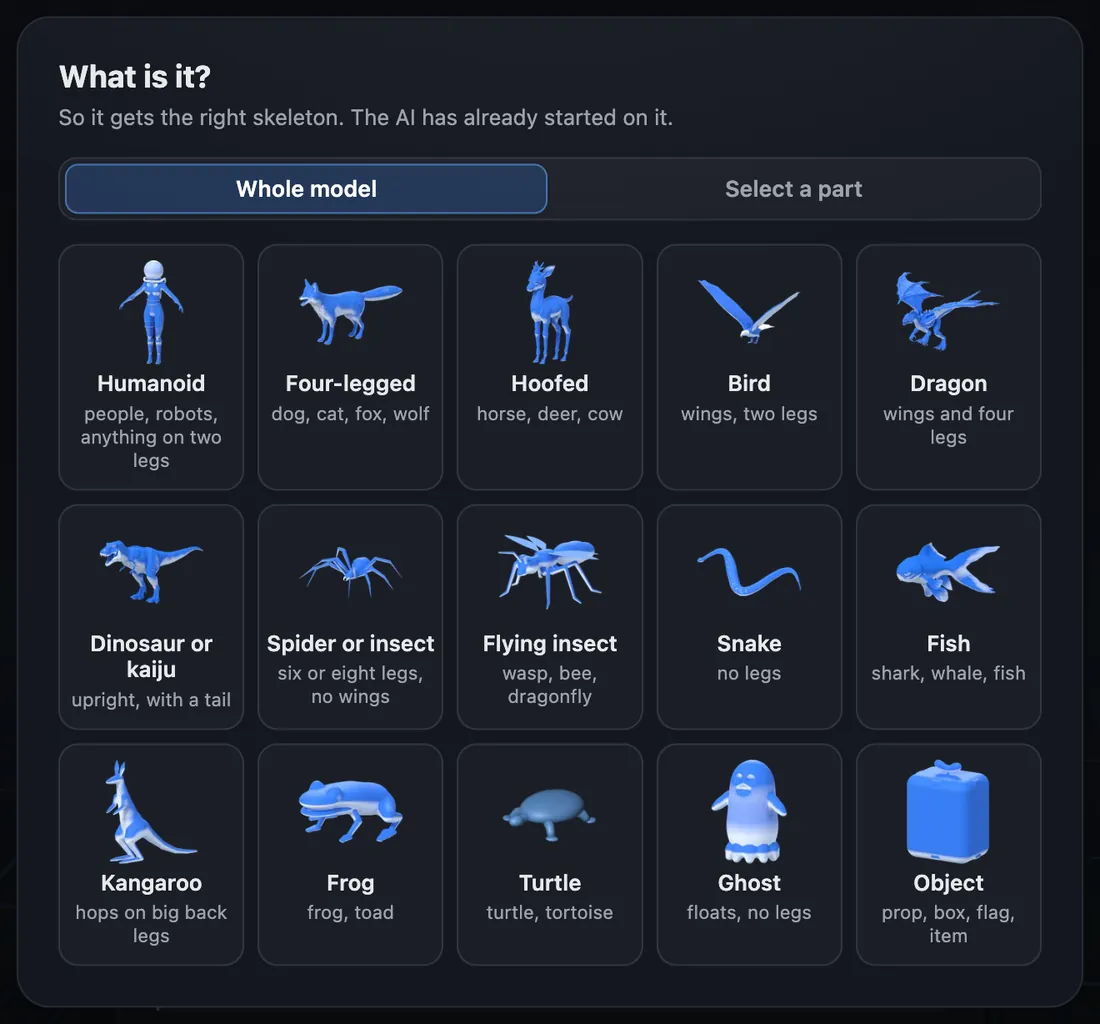
The only thing it asks is what kind of body you uploaded. That picks the skeleton, so a wolf gets four legs and a tail, and a dragon gets wings.
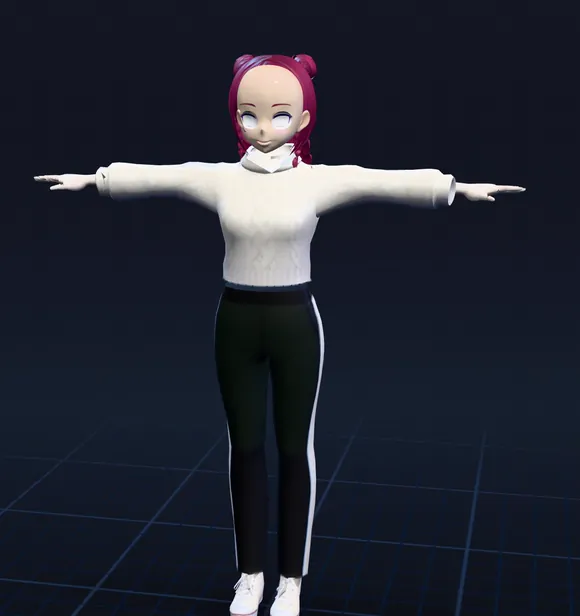
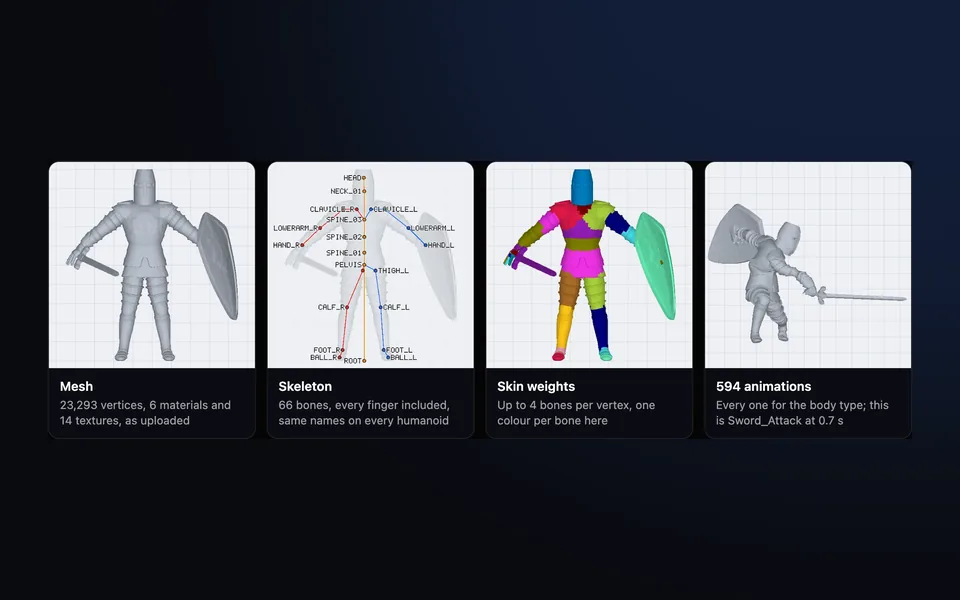
1Your model
A plain mesh: no bones, nothing can move
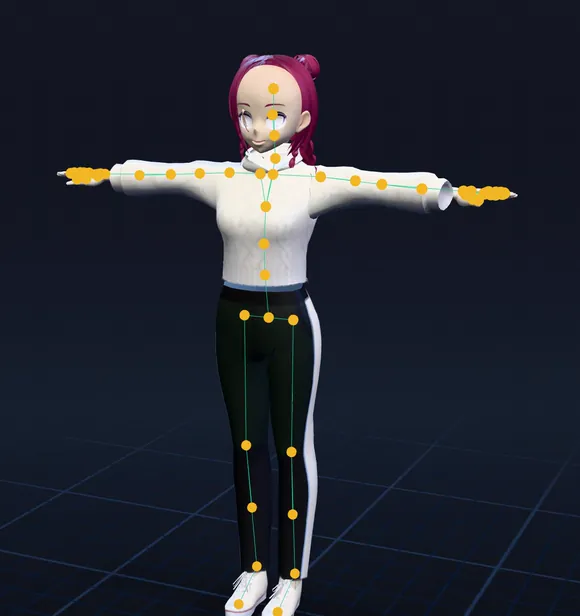
2Joints placed
The AI finds the hips, knees, elbows, neck and every finger
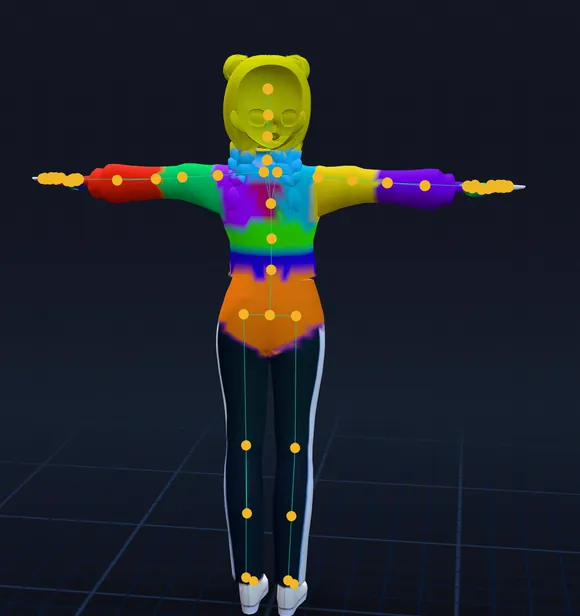
3Skin weights
Each color is the part of the mesh one bone moves
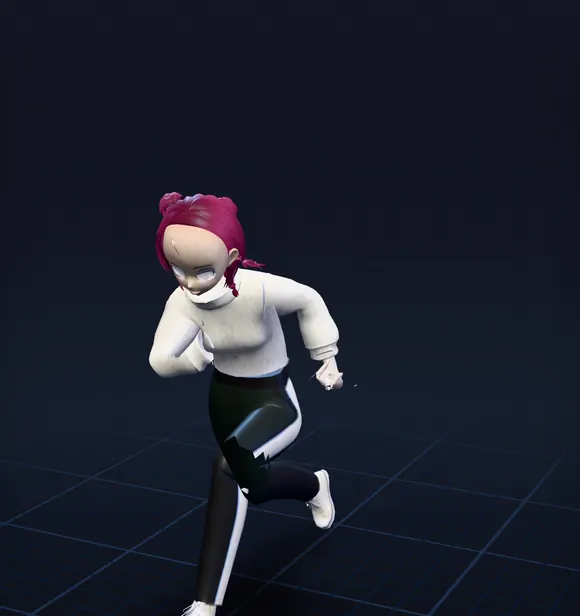
4Animated
Every animation made for the skeleton plays on it
2. Animations made for each skeleton
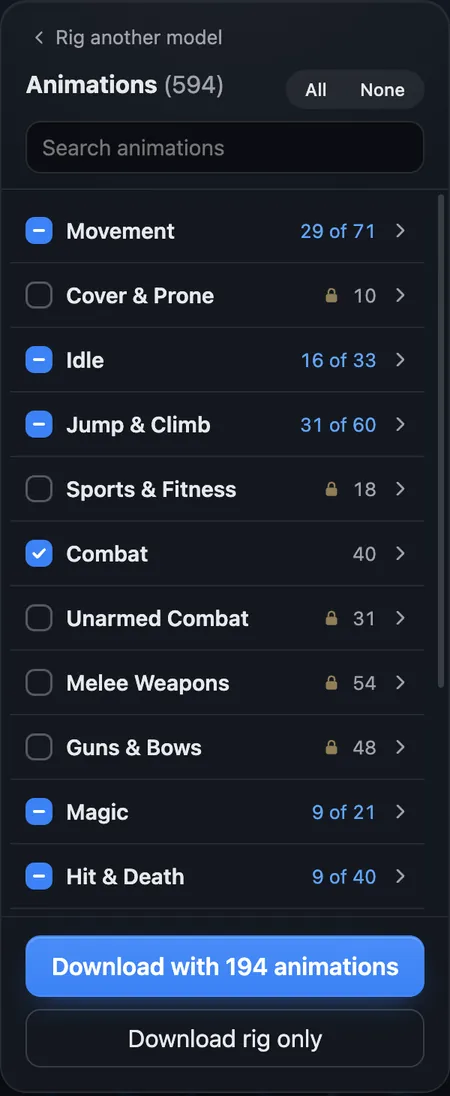
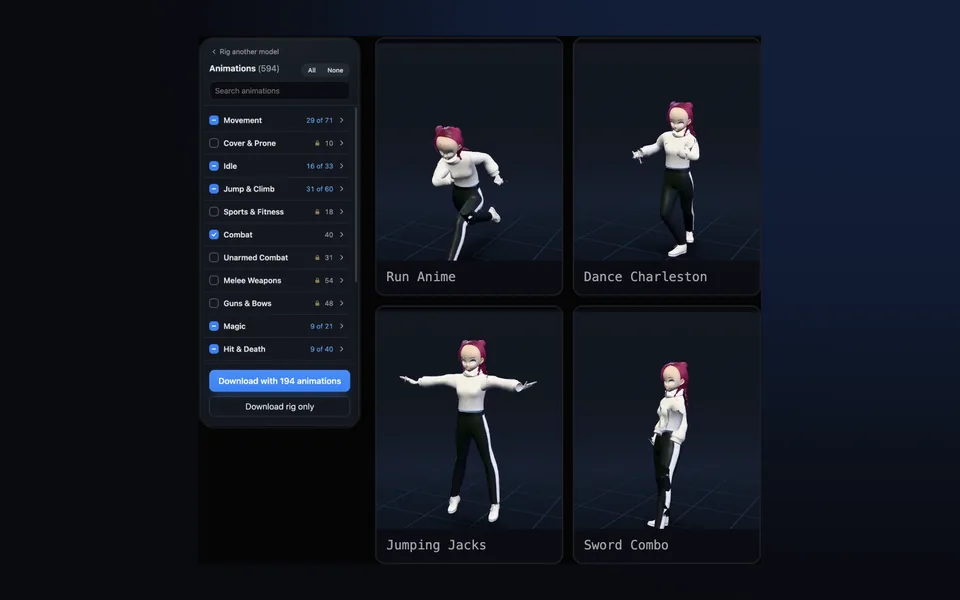
afk.ai always fits its own skeletons, so every animation in its library fits your character with no retargeting. A humanoid gets 592: walks, runs, sprints, idles, jumps, climbing and vaulting, sword, bow, and gun moves, spells, dances, emotes, hits, and deaths. You can play any of them on your model before you download anything.
Every model of the same body type gets the same bone names and the same animation names. That means one animation controller can drive every humanoid in your game, and another can drive every wolf.
- Run Anime
- Dance Charleston
- Jumping Jacks
- Sword Combo
3. Fix it before it reaches your engine
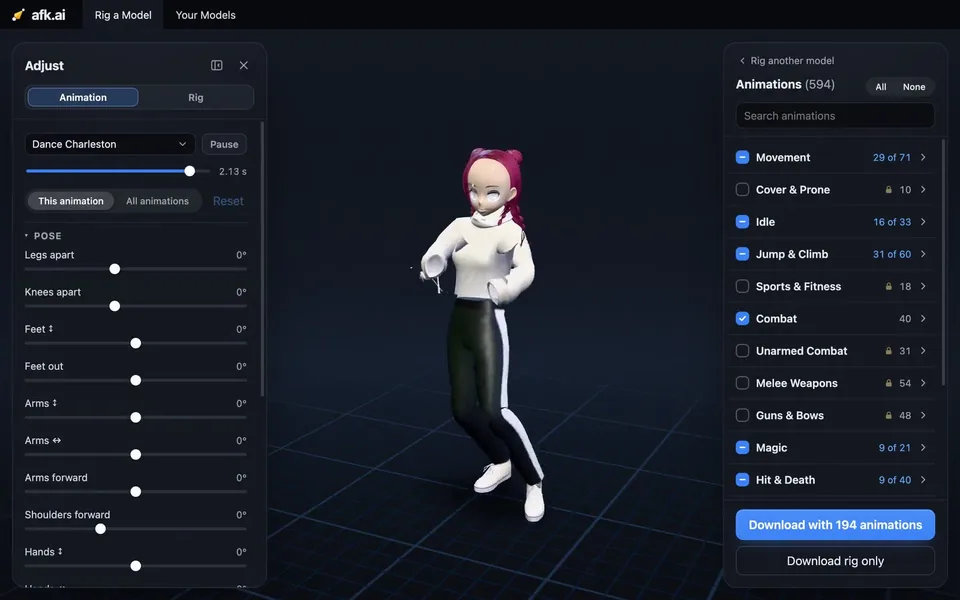
A heavy knight and a slim scout shouldn't move the same way. The Adjust panel changes an animation while it plays: legs wider apart, arms lower, shoulders forward, a slower pace. You can change one animation or all of them at once.
When something looks wrong, the Rig tab has the fixes: lift the arms clear of a wide body, close tears in the skin, drag a joint to where the body actually bends, or fix one spot that pinches.
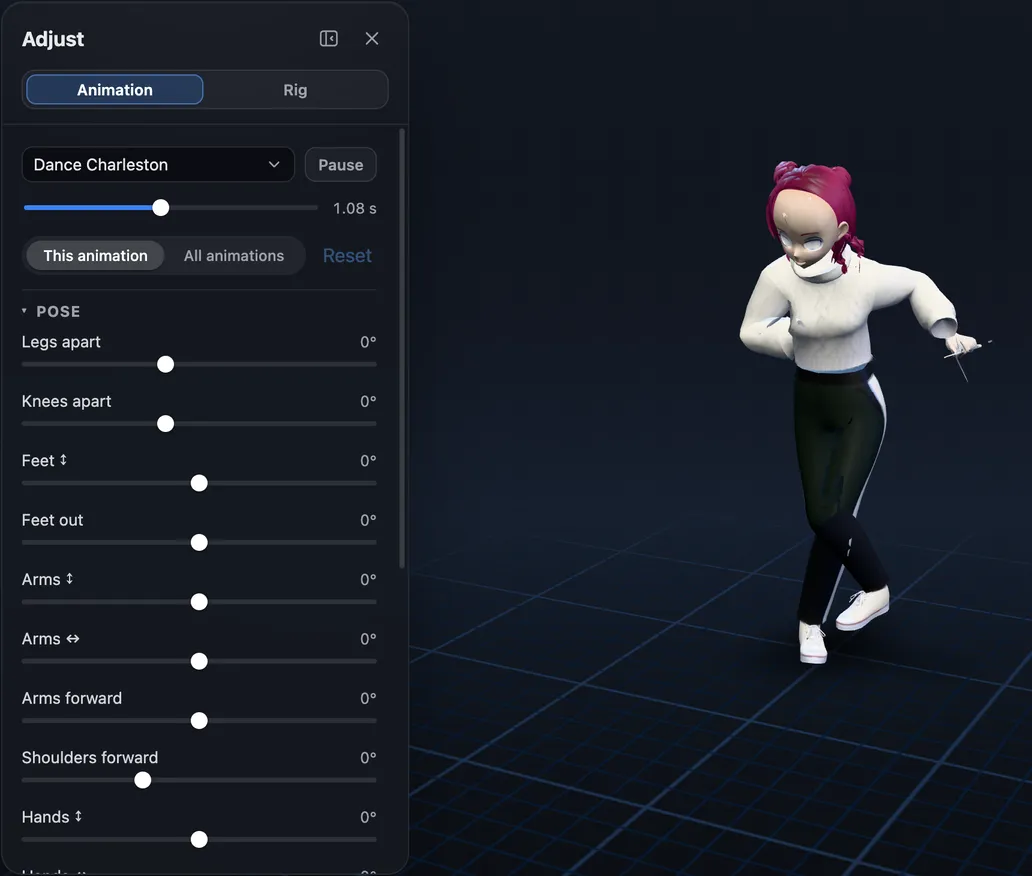
Animation
Pose, movement and position sliders, for one animation or all of them
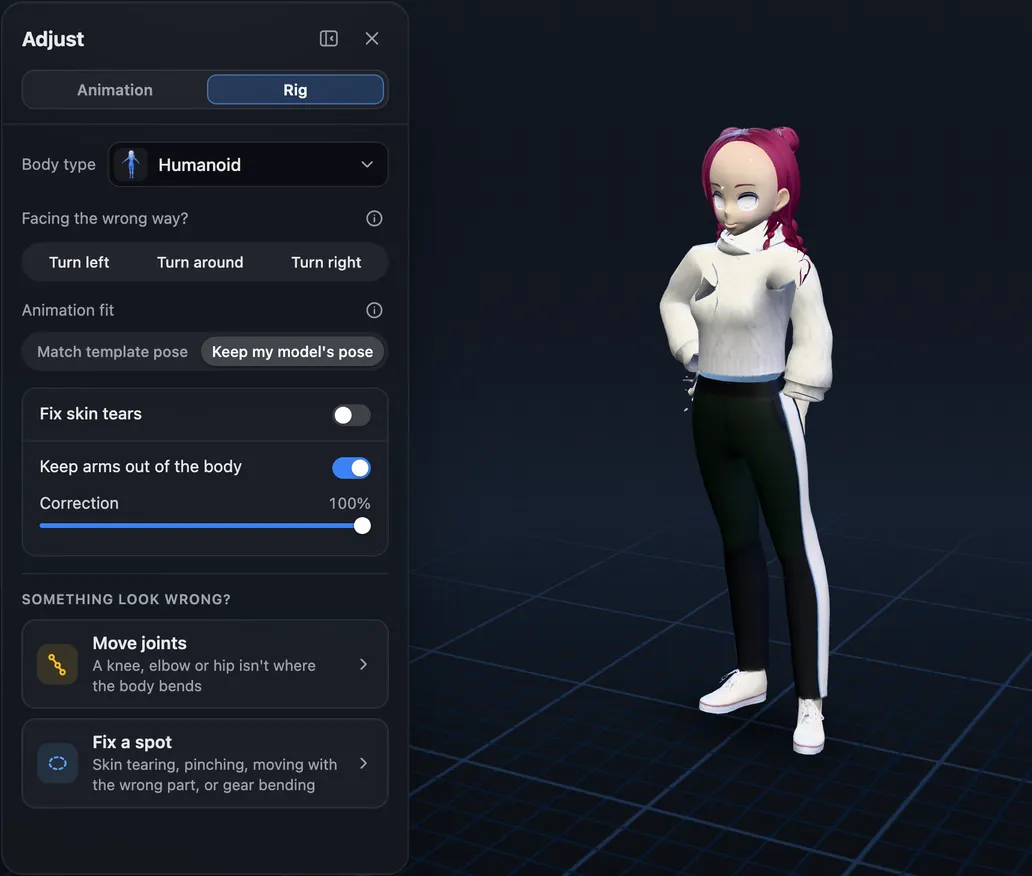
Rig
Keep arms out of the body, fix skin tears, move a joint or fix a spot
4. Import it into your engine
Download a GLB, or pick FBX when you download. Each animation comes in as its own clip.
- Unity
- For a humanoid, download an FBX and set Animation Type to Humanoid in the Rig tab. Its bones fill Unity's Humanoid slots, so animations made for other Humanoid characters play on it too. For a creature or a prop, use Generic. You can also import the GLB with the glTFast package.
- Unreal Engine
- Import the FBX, or the GLB in version 5.1 and later. The humanoid's bones use the UE mannequin's names (pelvis, spine_01, thigh_l), so the IK Retargeter can match them automatically.
- Godot
- Drop the GLB into your project. The clips show up in its AnimationPlayer.
- three.js, Babylon.js, and PlayCanvas
- Load the GLB and play a clip.
- Blender
- Choose File > Import > glTF 2.0, or import the FBX.
Monsters, mounts, pets, and props
Most auto-riggers stop at humanoids, but most games don't. afk.ai has skeletons and animations for four-legged and hoofed animals, birds, dragons, dinosaurs, spiders, flying insects, snakes, fish, kangaroos, frogs, turtles, ghosts, and props. Your enemies, mounts, and pets get animations made for their bodies, not a human's.
Props get a flexible skeleton too, so a treasure chest squashes when it lands and a coin spins and bounces. The guide to animating objects shows how.
- Dragon
- Four-legged
- Hoofed
- Dinosaur
- Spider
- Fish
Rig models from code
If your game rigs a lot of models, you don't have to upload them one at a time. The afk-rig command-line tool rigs a model from your terminal or a build script and saves the GLB:
npx afk-rig knight.glb --type human
npx afk-rig coin.glb --type object --animations Spin,Bounce -o coin.rigged.glb
Use it to rig a whole folder of assets in CI, or to rig the models players upload so they walk around in your game a minute later. It also works as an MCP server, so an AI agent like Claude Code or Cursor can rig, check, and fix models for you. See what you can build with the rigging API.
Free to try, Pro for every animation
A free account rigs 3 models a month and plays every animation on them, and it can download 3 animations a month. Pro unlocks every animation in every download, for every model.
1 Year Pro Pass
$29 one time
A full year of Pro. One payment, nothing to cancel.
- Every animation in every download, on every model
- 1,000 credits a month for our cloud GPU
- Priority on our cloud GPUs when demand is high
- An additional $10 of developer API credit, yours to keep
- No ads
30 Day Pro Pass
$14 one time
One payment, nothing to cancel. Top up days anytime.
- Every animation in every download, on every model
- 1,000 credits a month for our cloud GPU
- Priority on our cloud GPUs when demand is high
- No ads
Enterprise
Custom
For studios and teams
- Volume pricing
- Custom cloud GPU limits
- Pay by invoice
Less in some countries. One payment, no subscription. Not working for you? A full refund within 14 days (terms). The animations are CC0 either way, so you can ship them in a commercial game. See the plans.
Questions
What makes a 3D model game-ready?
A game-ready character has a skeleton, skin weights that bend cleanly, animations, and a file format your engine can import. afk.ai adds the skeleton, the skin weights, and the animations, and exports a GLB or FBX. Keeping the polygon count and texture sizes within your game's budget is still up to the model.
Does it work in Unity?
Yes. Download an FBX and set the Rig tab to Humanoid for a person, or Generic for a creature or a prop. You can also import the GLB with the glTFast package.
Does it work in Unreal Engine?
Yes. Import the FBX, or the GLB in Unreal 5.1 and later. The humanoid skeleton uses the UE mannequin's bone names, so the IK Retargeter can match it to the mannequin and to other characters automatically.
Can I rig monsters and animals for my game?
Yes. afk.ai has 15 body types, including four-legged animals, dragons, dinosaurs, spiders, snakes, fish, and props, and each one has animations made for its skeleton.
Can I rig a lot of models at once?
Yes. The afk-rig command-line tool and JavaScript client rig models from a script or a build pipeline and return the same GLB as afk.ai/rig. See the rigging API guide.
Can I use the animations in a commercial game?
Yes. The animations are CC0 (public domain), and your model stays yours.
Rig and animate your model
An AI rigs it in your browser, then hundreds of animations play on it. Download one GLB for any engine.
More guides
Guide
A 3D character animation toolkit in one browser tab: rig, animate, adjust, and export
Drop in a model, and an AI rigs it. Then hundreds of animations made for its skeleton play on it. Adjust them with sliders, and download one file for any engine.
API
What you can build with the afk.ai rigging API
Send a 3D model, get back a rigged GLB with every animation for its body type, from your terminal, your code or an AI agent.
Guide
Free mocap and FBX animations: where to get them, and how to make them fit your character
Ten places to download free motion capture and FBX animations, five free tools that turn a video into mocap, and how to make any of it fit your character.