GuidesHow-to8 min read
Auto-rig a character in Blender: The free AFK AI add-on
Select your model, click Rig, and about a minute later a rigged copy with its animations stands next to it, in Blender 4.2 and newer.
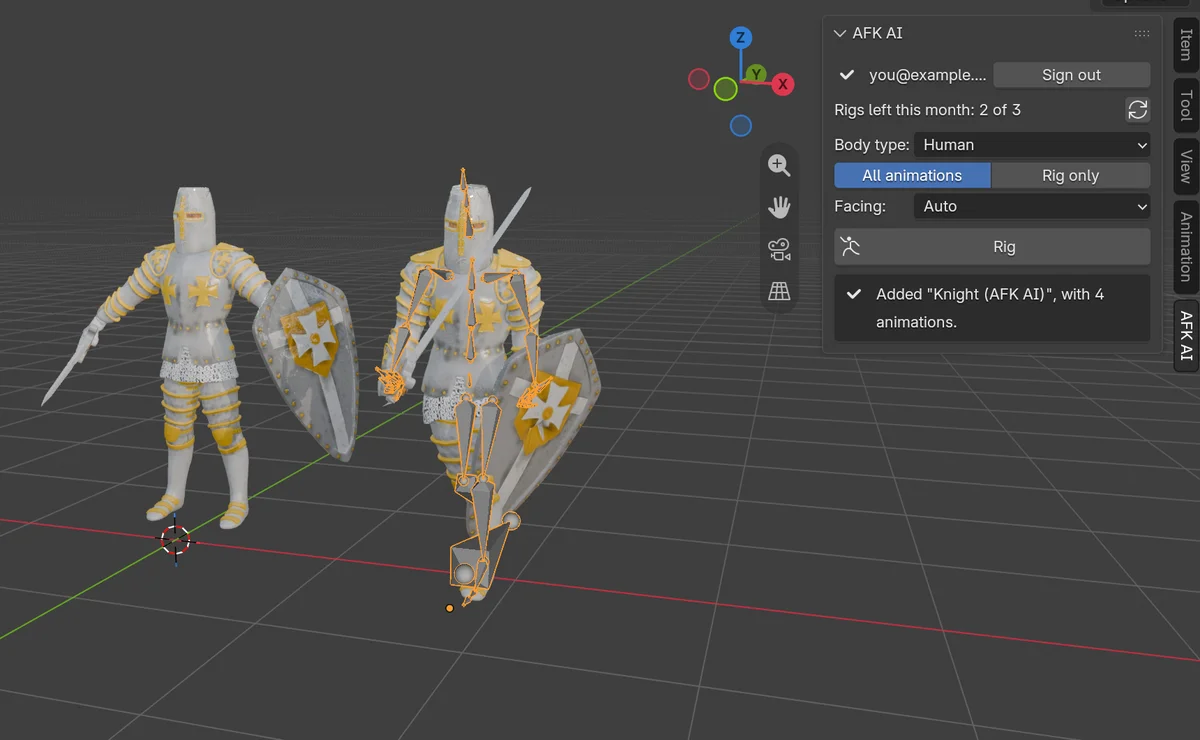
Rigging a character in Blender by hand takes an evening the first time. You line up a Rigify metarig with the body, generate the rig, parent the mesh with automatic weights, and then fix what breaks. Sometimes it's an elbow that folds like paper, and sometimes it's "Bone Heat Weighting: failed to find solution for one or more bones". Then you still need animations.
The AFK AI add-on does all of that from a tab in Blender's sidebar. Select your model and click Rig. Your model goes to afk.ai's AI rigger, and about a minute later a rigged copy comes back next to it, with a skeleton made for its kind of body, skin weights and its animations as actions. Your original stays exactly as it was.
What you need
- Blender
- 4.2 or newer. The add-on is a Blender extension, which older versions can't install.
- An afk.ai account
- Free. You sign in with Google, in your browser, the first time.
- Rigs
- Each rig uses one of your account's rigs for the month, the same as rigging on afk.ai/rig. The add-on shows how many you have left.
- Internet
- The rigging runs on afk.ai's servers, so Blender's Allow Online Access has to be on.
- Your model
- One or more mesh objects, up to 50 MB once exported. Cameras and lights are left out.
Install the add-on
- Download the add-on's zip file from the Blender plugin page. Don't unzip it.
- In Blender, open Edit > Preferences > Get Extensions. Click the small arrow at the top right, choose Install from Disk... and pick the zip. Or just drag the zip onto Blender's window.
- Still in Preferences, open System > Network and turn on Allow Online Access. Without it, the AFK AI tab says online access is off and doesn't connect to anything.
That's the whole install. In the 3D Viewport, press N to open the sidebar, and there's a new tab called AFK AI.
Sign in and rig
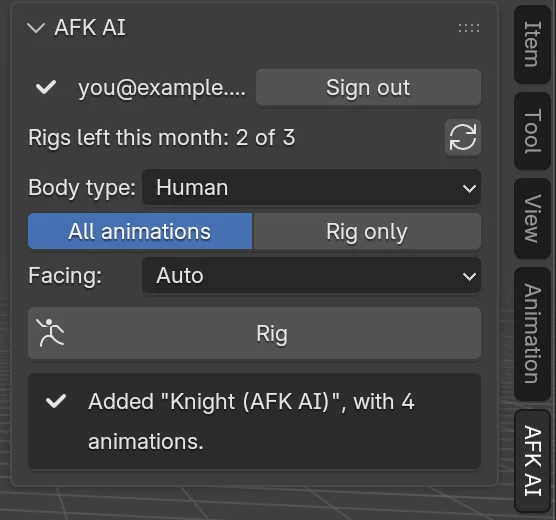
- Sign in. In the AFK AI tab, click Sign in. Your browser opens afk.ai; sign in with Google there. When the browser says "You're signed in", go back to Blender. The tab now shows your email and the rigs you have left this month.
- Select the model. Click it in the viewport, or select all its parts. If it's in a few pieces (a body, a helmet, a sword), select them all, and they're rigged as one character.
- Pick the body type. Human for people, robots and anything on two legs. Animals and creatures have their own types (more below). Leave All animations on to get the animations for that body type, or pick Rig only for just the skeleton.
- Leave Facing on Auto. AFK AI works out which way the model faces. If a rig ever comes back turned the wrong way, rig it again with the angle it's turned.
- Click Rig. The tab shows each step: uploading, waiting for a rigger, rigging, adding the animations, downloading. You can keep working in Blender meanwhile.
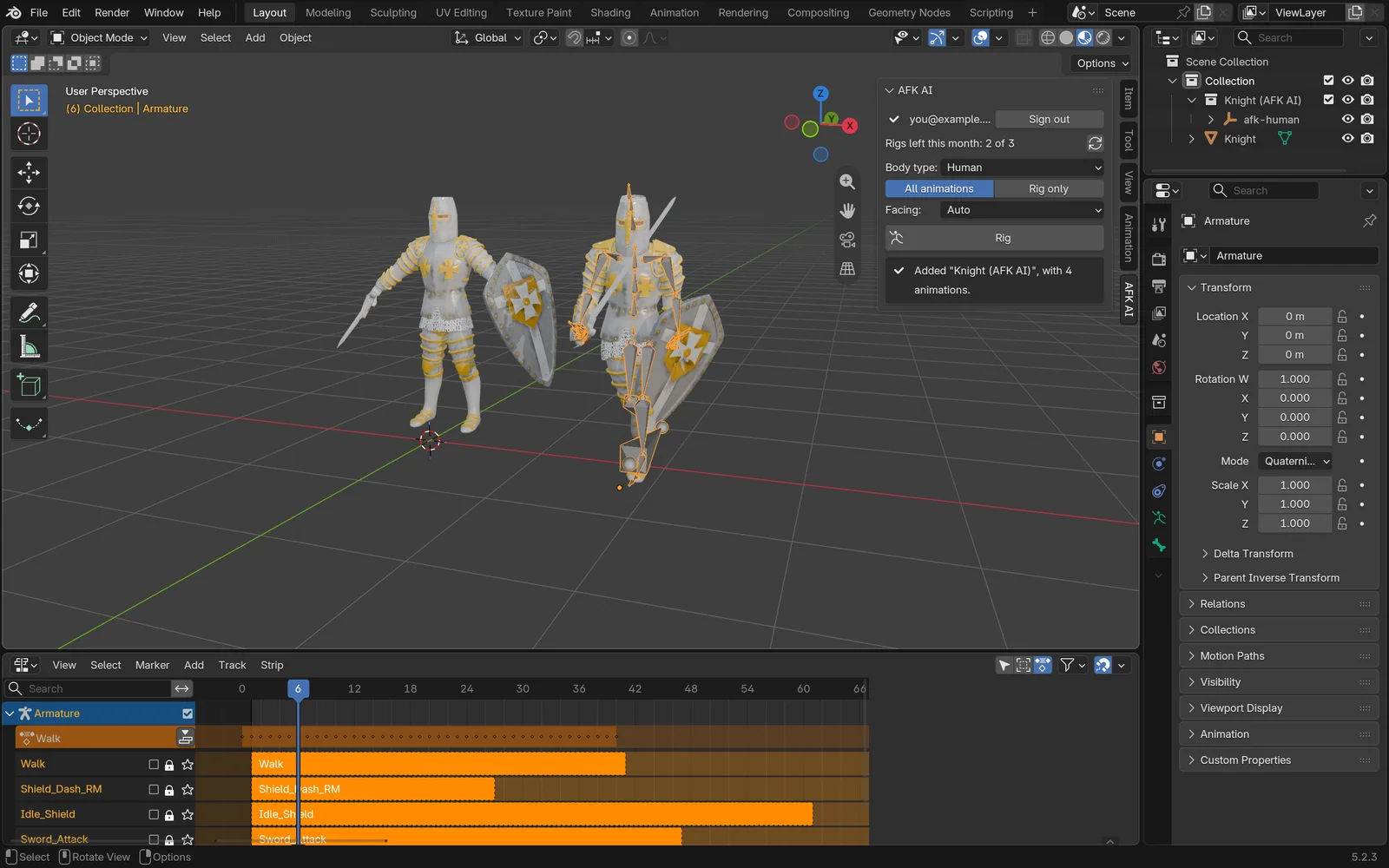
When it's done, a new collection called "Knight (AFK AI)" (your model's name, then AFK AI) appears to the right of the original, selected.
If the browser didn't come back to Blender (a firewall, or Blender on another computer), the afk.ai page shows a sign-in code instead. Click I have a sign-in code and paste it. A code works for an hour, and you stay signed in until you click Sign out.
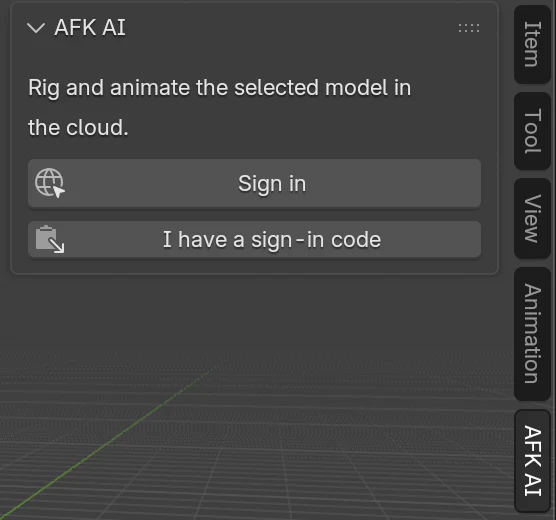
1Sign in
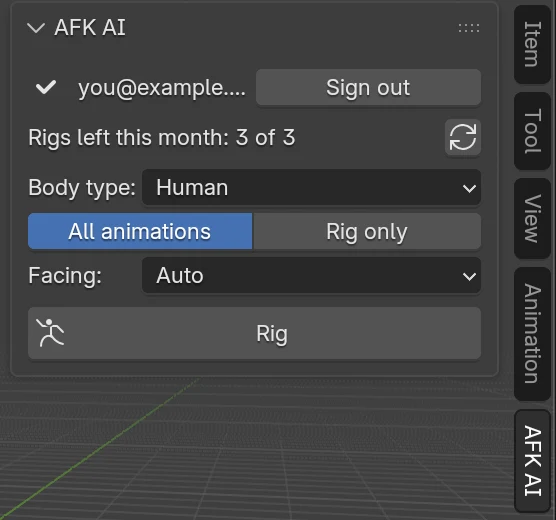
2Choose the options
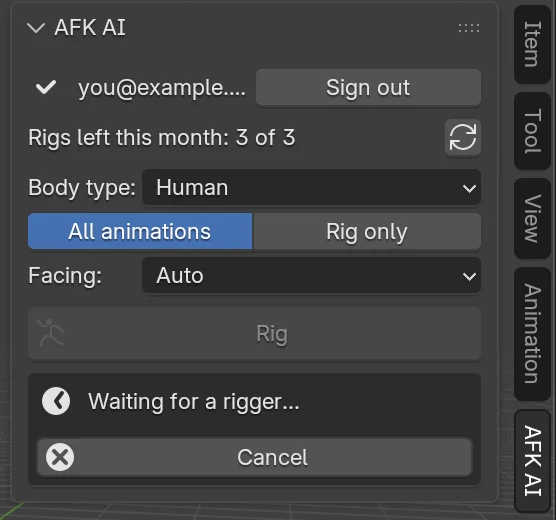
3Rigging
4Done
What comes back
- Armature: a skeleton made for the body type, placed inside your mesh. A human gets 66 bones, three joints in every finger included, named the way Unreal Engine's mannequin is (pelvis, spine_01, thigh_l...).
- Skin weights: painted on your mesh, so it bends at the joints rather than tearing or folding.
- Animations: one action per animation, each on its own track in the Nonlinear Animation editor. For a humanoid that's up to 593 animations: walks, runs, idles, jumps, sword, bow and gun moves, dances and more. A free account gets the free ones, and a plan adds the rest.
- Your original: left exactly as it was, so you can compare the two or rig again.
- The file: a copy of the rigged model,
Knight_rigged.glb, saved next to your .blend file (or in your computer's temporary folder if the .blend isn't saved yet). The status bar says where.
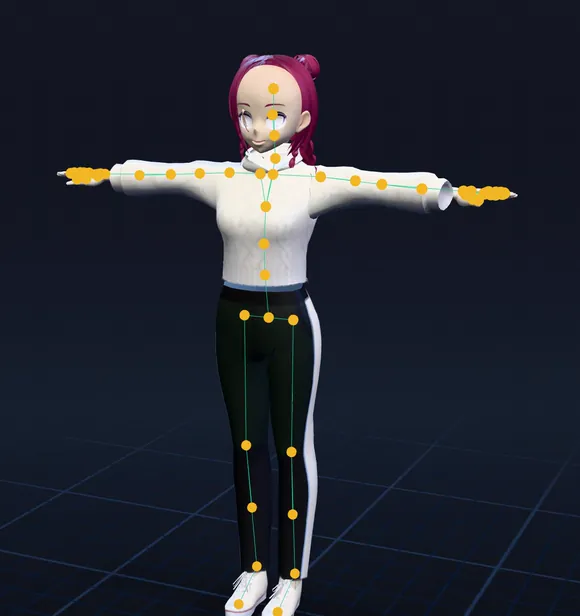
root └ pelvis └ spine_01 └ spine_02 └ spine_03 └ neck_01 └ head └ clavicle_l └ upperarm_l └ lowerarm_l └ hand_l └ thumb_01_l thumb_02_l thumb_03_l └ index_01_l index_02_l index_03_l └ middle_01_l middle_02_l middle_03_l └ ring_01_l ring_02_l ring_03_l └ pinky_01_l pinky_02_l pinky_03_l └ clavicle_r ... (the same on the right) └ thigh_l └ calf_l └ foot_l └ ball_l └ thigh_r ... (the same on the right)Play and switch animations
The rigged armature starts with one animation active. To see the others, open the Nonlinear Animation editor: every animation is a track there. Click the star next to a track's name to play only that one.
To work on one animation's keyframes, open the Dope Sheet, switch it to the Action Editor, and pick the action from its list. They're ordinary Blender actions, so you can change keys, cut a loop shorter, or make a new animation from one of them.
The same thing from the Python console, with the rigged armature selected:
import bpy

rig = bpy.context.object                      # the rigged armature
rig.animation_data.action = bpy.data.actions["Walk"]
start, end = rig.animation_data.action.frame_range
bpy.context.scene.frame_start, bpy.context.scene.frame_end = int(start), int(end)
bpy.ops.screen.animation_play()
To move the character around, move the armature, not the mesh: the mesh follows its skeleton.
Send it to Unity, Unreal or Godot
For an FBX: File > Export > FBX (.fbx), with Selected Objects on and the armature and mesh selected. Under Armature, turn off Add Leaf Bones. Under Bake Animation, keep All Actions on so every animation goes in. Set Apply Scalings to FBX All so the character comes in at the right size.
Rather skip Blender for this step? Unity, Unreal and Godot have AFK AI plugins of their own: see Unity, Unreal Engine and Godot.
| Engine | What to do |
|---|---|
| Godot 4 | Copy Knight_rigged.glb into your project. Its animations are in its AnimationPlayer. |
| Unreal Engine 5 | Import the GLB, or export an FBX (below) and import it as a Skeletal Mesh with its animations. |
| Unity | Export an FBX (below), drag it into Assets, and set Rig > Animation Type to Humanoid for a person. |
| three.js, Babylon.js | Load the GLB and play its clips. |
Not a person? Other body types
Most auto-riggers only rig humanoids. AFK AI has a skeleton and animations made for 15 kinds of body. Pick the one that matches the shape of yours, not its species: a wolf is Fox, a deer is Horse, a whale is Fish.
| Body type | For |
|---|---|
| Human | people, robots, anything on two legs |
| Fox | four-legged: dog, cat, fox, wolf |
| Horse | hoofed: horse, deer, cow |
| Bird, Dragon | wings and two legs; wings and four legs |
| Kaiju | dinosaurs and kaiju: upright, with a tail |
| Spider, Insect | six or eight legs; flying insects |
| Snake, Fish | no legs; sharks, whales and fish |
| Kangaroo, Frog, Turtle | hoppers, frogs and toads, a shell on four short legs |
| Ghost, Object | floats with no legs; props that bounce, spin and wobble |
- Dragon
- Four-legged
- Hoofed
- Dinosaur
- Spider
- Fish
What counts as a rig
Every click on Rig that gets your model to AFK AI uses one of this month's rigs. Cancel only stops Blender waiting: the rig carries on and still counts. A rig that fails isn't counted, and the tab says why it failed.
The tab shows how many rigs you have left. When there are none, it shows See plans, which opens afk.ai's plans. Rigs on afk.ai/rig and in the other plugins come out of the same monthly rigs.
When something goes wrong
- Online access is off
- Turn on Allow Online Access in Edit > Preferences > System > Network. If Blender was started with
--offline-mode, start it without that. - The browser didn't open
- Click Open the page again, or sign in on afk.ai and use I have a sign-in code.
- Couldn't reach AFK AI
- Check your connection, VPN or firewall, then try again.
- Up to 50 MB
- Delete hidden parts, shrink very large textures, or lower the polygon count with a Decimate modifier.
- Select the model to rig
- Click the model in the viewport first, so it's highlighted.
- The rig failed
- Read the message. Usually another body type, or the model standing upright and facing forward, fixes it.
Questions
Is the AFK AI add-on for Blender free?
Yes. The add-on is free to install, and a free afk.ai account comes with rigs every month. Each rig uses one of them, the same as on afk.ai/rig. Plans give you more rigs and every animation.
Which Blender versions does it work in?
Blender 4.2 and newer, on Windows, Mac and Linux. It's a Blender extension, a kind of add-on that Blender 4.1 and older can't install. With an older Blender, rig the model on afk.ai/rig and import the GLB it downloads.
Does it change my original model?
No. The rigged model comes back as a copy, in a collection of its own next to the original. Nothing in the original object, its mesh or its materials changes.
Does it work without the internet?
No. The rigging runs on afk.ai's servers, so Blender needs to be online and to have Allow Online Access turned on.
Can I rig an animal, a dragon or a prop?
Yes. Pick its body type before you click Rig: Fox for four-legged animals, Horse for hoofed ones, Dragon, Bird, Spider, Snake, Fish and more, or Object for props. Each gets a skeleton and animations made for it. The animal guide shows them all.
Is this a control rig like Rigify or Auto-Rig Pro?
No. It's a deform skeleton with skin weights and baked animations, which is what game engines play. You can still key the bones by hand in Pose Mode, or edit any animation's keyframes in the Action Editor.
Can I use the rigged character in a commercial game?
Yes. The skeletons and animations are CC0, and your model stays yours.
Can I rig several models in one go?
One rig runs at a time, and each takes about a minute. Select the next model and click Rig again when the first is done. To rig a whole folder from a script, use the rigging API instead.
Is there an AFK AI plugin for Maya, Unity or Unreal too?
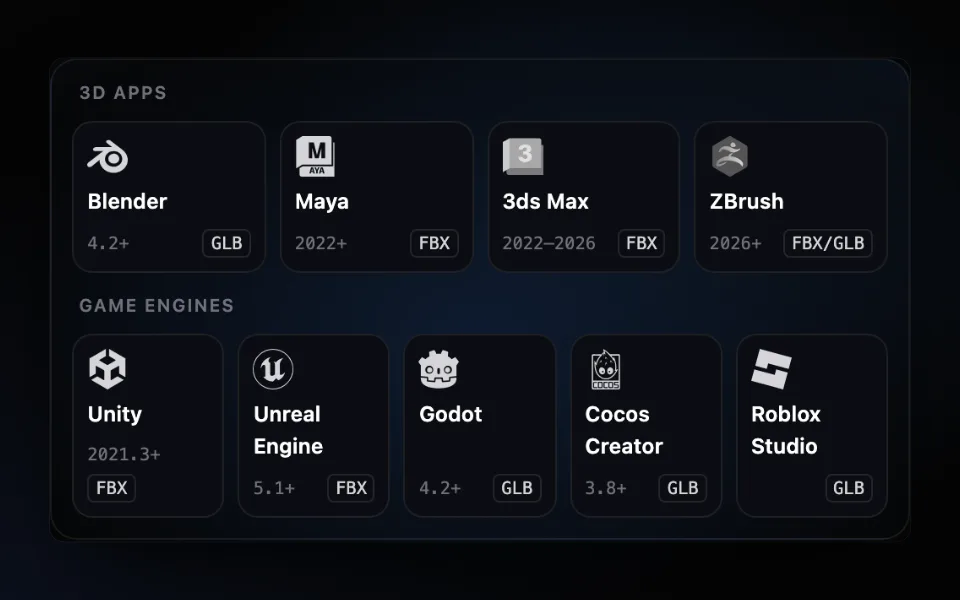
Yes, for nine apps in all: Blender, Maya, 3ds Max, ZBrush, Unity, Unreal Engine, Godot, Cocos Creator and Roblox Studio. The overview of every AFK AI plugin says what each one does and which to pick, and the plugins page has every download.
Rig and animate your model
An AI rigs it in your browser, then hundreds of animations play on it. Download one GLB for any engine.
More guides
How-to
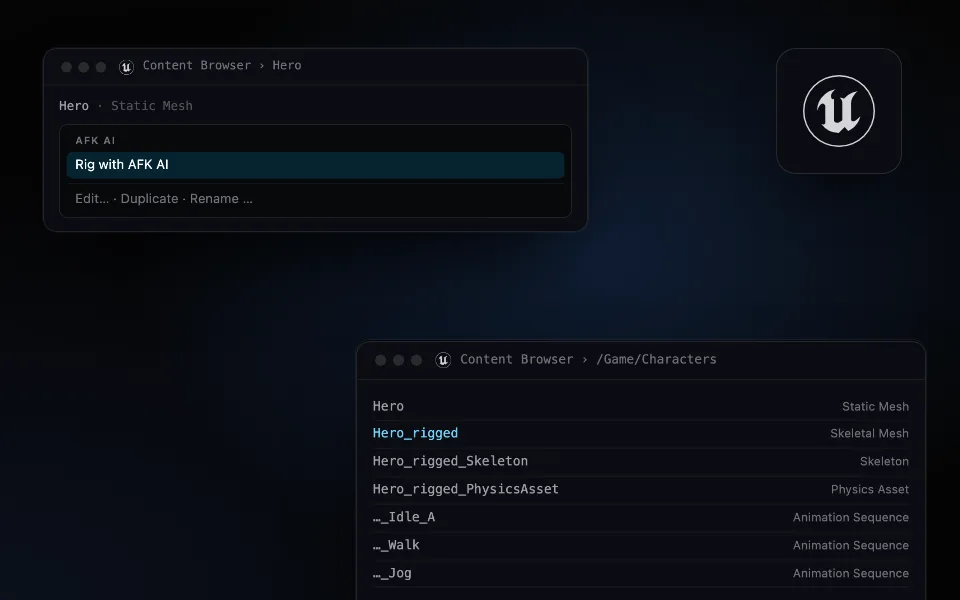
Auto-rig a character in Unreal Engine 5: from a static mesh to an animated skeletal mesh
Right-click a mesh, choose Rig with AFK AI, and a minute later a skeletal mesh with its skeleton, physics asset and animations is in the same folder.
How-to
Auto-rig any 3D model inside Unity: Humanoid-ready, with its animation clips
Pick a model in the Project window and click Rig. A minute later a rigged FBX sits next to it, set up as Humanoid, with every animation as a clip.
Comparison
Auto-rig plugins for nine 3D apps and game engines: Blender, Maya, Unity, Unreal and more
One AFK AI plugin for each of nine apps. Select a model, click Rig, and about a minute later it's back in your scene or project, rigged and animated.