GuidesComparison10 min read
Auto-rig plugins for nine 3D apps and game engines: Blender, Maya, Unity, Unreal and more
One AFK AI plugin for each of nine apps. Select a model, click Rig, and about a minute later it's back in your scene or project, rigged and animated.





An auto-rig plugin puts a skeleton, skin weights and animations on your model without you leaving the app you're working in. AFK AI's do it for nine apps: Blender, Maya, 3ds Max and ZBrush, and the game engines Unity, Unreal Engine, Godot, Cocos Creator and Roblox Studio.
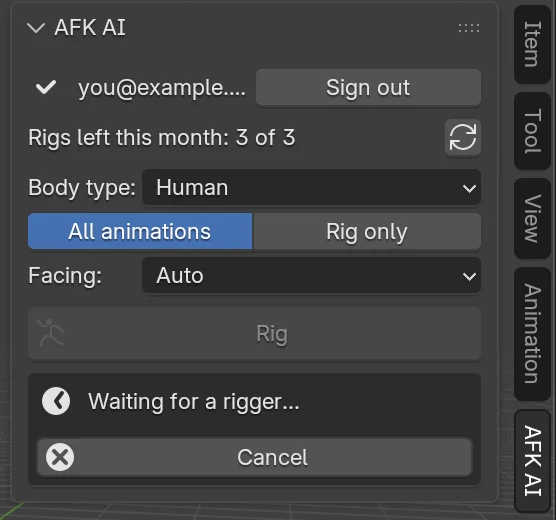
They all work the same way. Sign in once with your afk.ai account, select a model, pick what kind of body it has, and click Rig. Your model goes to the same AI rigger as afk.ai/rig, and about a minute later it comes back next to the original, rigged, with its animations, and set up the way that app likes it. Every plugin is free to install, and every rig counts as one of your account's rigs, just like a rig on the website.
How every plugin works
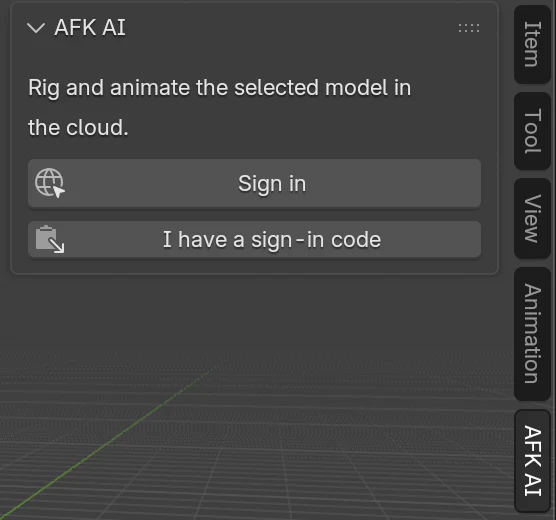
- Sign in once. The plugin opens afk.ai in your browser, where you sign in with Google. An app that can't hear back from the browser takes a sign-in code instead. You stay signed in until you sign out, and your sign-in is kept in your user folder or the app's own settings, never in a scene or project file.
- Select a model and click Rig. In a 3D app, the selected objects are exported and sent. In a game engine, the model's own file is sent as it is. It can be a GLB, a glTF with everything embedded, or an FBX, up to 50 MB.
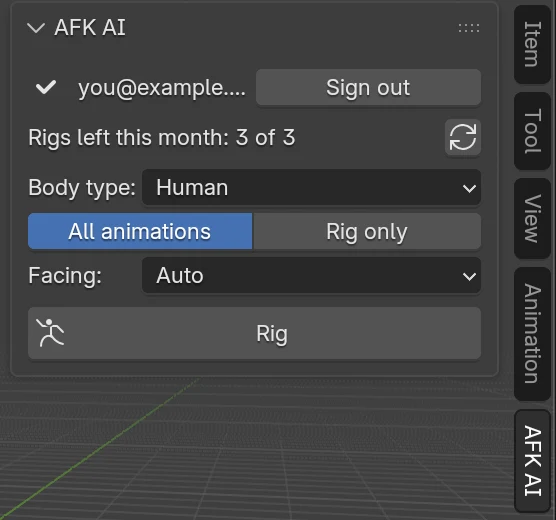
- Pick the body type. Human, or one of 14 others: four-legged and hoofed animals, birds, dragons, dinosaurs, spiders, insects, snakes, fish, kangaroos, frogs, turtles, ghosts and props. Then choose all its animations, or the skeleton only.
- Get it back. About a minute later a rigged copy appears next to the original, which isn't changed. For a humanoid, that's up to 593 animations. A free account gets the free ones, and a plan adds the rest.
Sign in once with your afk.ai account (Google), in your browser
1In your app
Select a model, pick its body type and click Rig.
Body typeHuman ▾
All animationsRig only
Rig
2On afk.ai
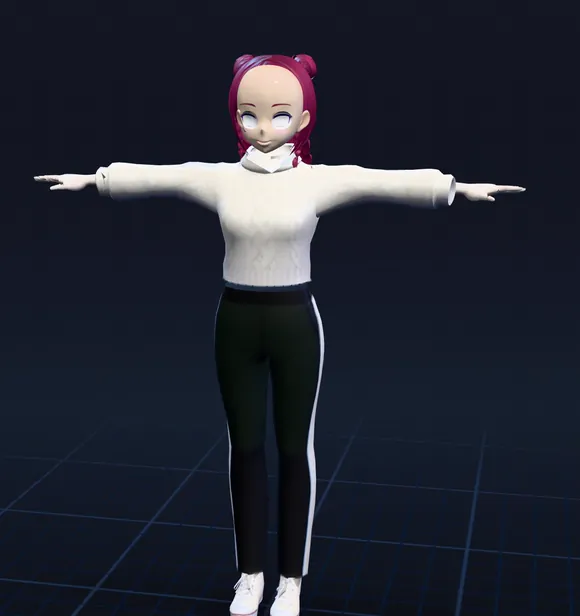
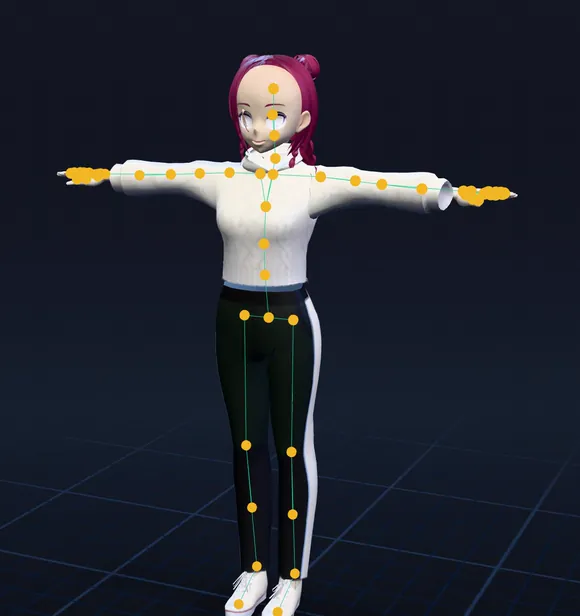
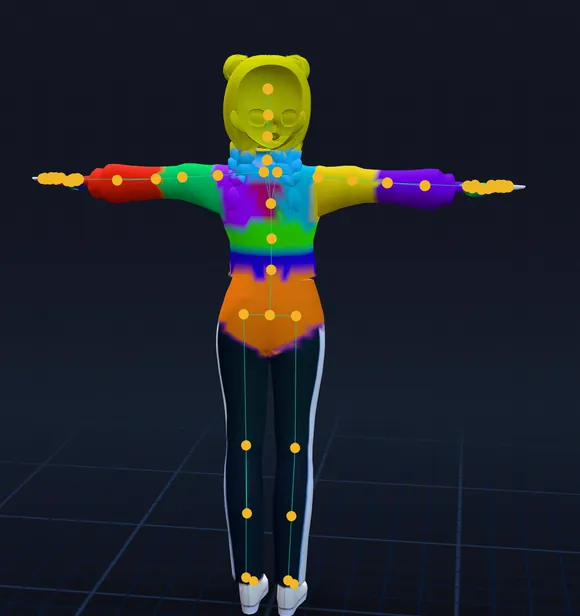
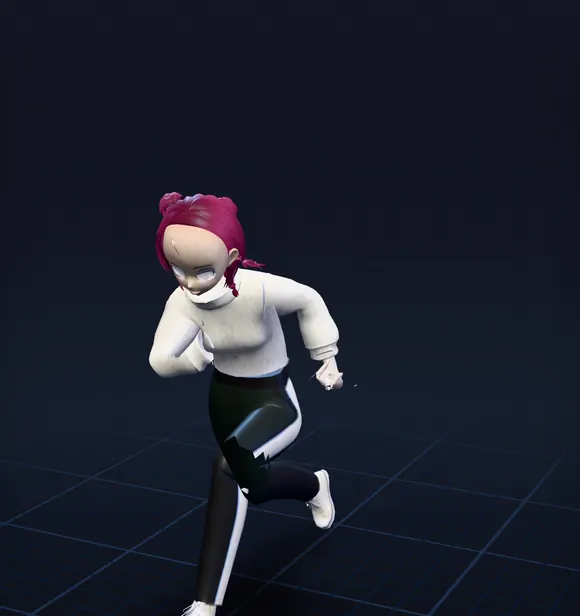
An AI places the joints and paints the skin weights, then the animations for its body type go in. About a minute.
3Back in your app
A rigged copy with its animations, next to the original, which isn't changed.
Hero.fbx
Hero_rigged.fbx
Idle_A · Walk · Jog · Sprint …
The nine plugins at a glance
| App | Works in | What's sent | What comes back | Good to know |
|---|---|---|---|---|
| Blender | 4.2 and newer | The selected objects | A new collection beside the original, every animation as an action | Needs Allow Online Access on |
| Maya | 2022 and newer | The selected meshes | The rigged model in its own namespace | Brings in the first animation; the rest are in the saved FBX |
| 3ds Max | 2022 to 2026 | The selected objects | The rigged model on a layer of its own | Brings in the first animation; the rest are in the saved FBX |
| ZBrush | 2026 and newer | The visible SubTools, or the selected one | A rigged FBX or GLB file, with an offer to open it in Blender | ZBrush has no skeletons, and waits while it rigs |
| Unity | 2021.3 and newer | The model file | _rigged.fbx beside it: Humanoid for a person, one clip per animation | Looping clips set to loop |
| Unreal Engine | 5.1 and newer | The mesh's source file | A skeletal mesh with its skeleton, physics asset and animations | Nothing to compile |
| Godot | 4.2 and newer | The model file | _rigged.glb beside it, animations in an AnimationPlayer | Looping animations set to loop |
| Cocos Creator | 3.8 and newer | The model file | _rigged.glb beside it, with its animations | Enable it in the Extension Manager |
| Roblox Studio | Studio | A model file from your computer | A download link to the rigged model | Sign in with a code; bring it in with Import 3D |
3D apps: Blender, Maya, 3ds Max and ZBrush
Blender
An AFK AI tab in the 3D Viewport's sidebar (press N). Select the model, click Rig, and a collection called "Knight (AFK AI)", or whatever your model is called, appears to the right of it, with every animation as an action on its own track in the Nonlinear Animation editor. It needs Blender 4.2 or newer and Allow Online Access turned on. The Blender guide goes step by step, with screenshots.
Maya
Install it by dragging install.py onto Maya's viewport. An AFK AI menu opens a window you can dock. The rigged model arrives to the right of the original in its own namespace, name_rigged:, so nothing clashes with your scene; move its name_rigged:rig group to move it. Maya brings in one animation at a time from an FBX, so the plugin brings in the first and says how many the rig has. For all of them as clips, drag the saved name_rigged.fbx into the Time Editor (Windows > Animation Editors > Time Editor). It sends polygon meshes, so convert NURBS or subdivision surfaces first (Modify > Convert).
3ds Max
Copy the AFK_AI.bundle folder into %APPDATA%\Autodesk\ApplicationPlugins and start 3ds Max: there's an AFK AI menu and a dockable window. The rigged model lands on a layer of its own, hanging from a point helper you move it by. Like Maya, 3ds Max brings in one animation at a time from an FBX, so you get the first. For another, import the saved file again (File > Import) and pick it under Animation > Take. Keep the name_rigged.fbm folder next to the FBX: the textures are in it.
ZBrush
It needs ZBrush 2026 or newer, the first versions with Python. An AFK AI palette sends the visible SubTools, or just the selected one, at their current subdivision level, with UVs and polypaint. ZBrush has no skeletons or animation, so the rigged model is saved as an FBX or GLB where you choose. The folder opens with it selected, and if Blender is installed, ZBrush offers to open it there, animations and all. ZBrush's scripting can't wait in the background, so ZBrush is busy for the minute it rigs; hold the mouse button down to stop waiting, and Get the last rig again fetches it later. With ZBrush 2025 or older, export an FBX and rig it on afk.ai/rig or in Blender.
1Sign in
2Choose the options
3Rigging
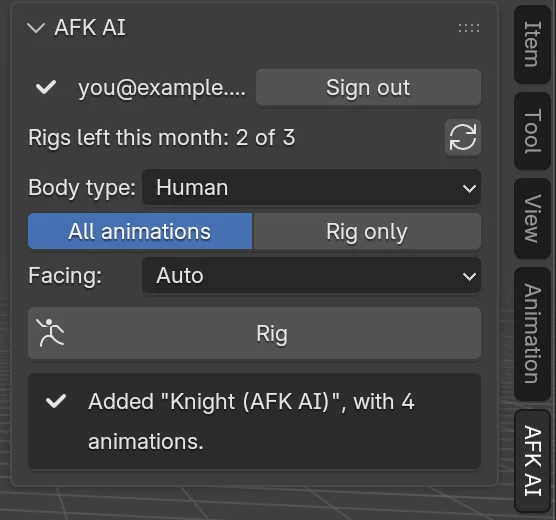
4Done
Game engines: Unity, Unreal, Godot, Cocos and Roblox
Unity
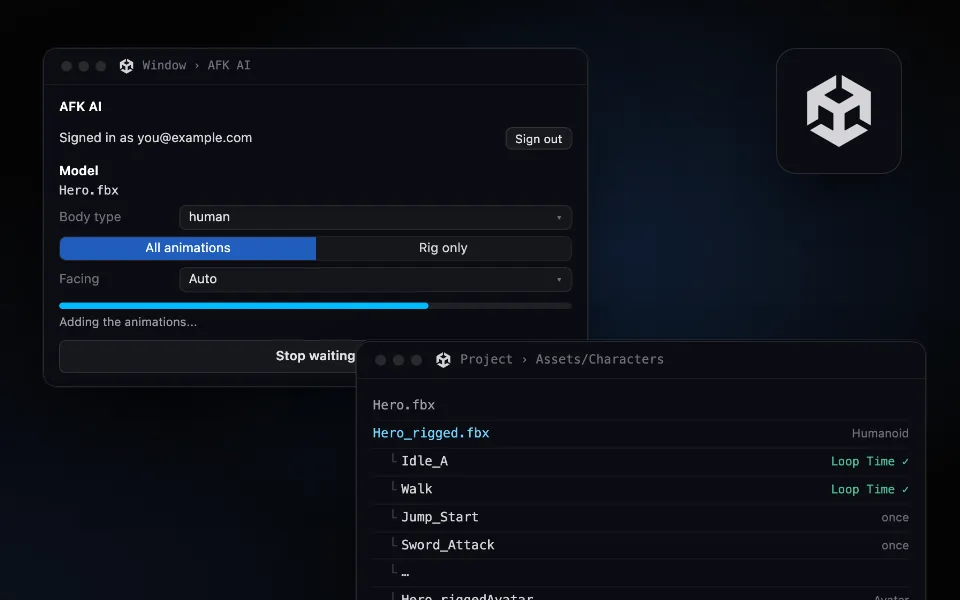
Window > AFK AI rigs the model selected in the Project window and saves Hero_rigged.fbx next to it. A human comes in as Humanoid, ready to share animations with every other Humanoid character, and anything else as Generic. Each animation is a clip, and the idles, walks and runs have Loop Time on. It's editor-only, so nothing goes into your builds. The Unity guide has an Animator Controller example in C#.
Unreal Engine
Right-click a static or skeletal mesh in the Content Browser and choose Rig with AFK AI. A skeletal mesh, its skeleton, its physics asset and an Animation Sequence per animation appear in the same folder. The skeleton's bones are named after Unreal's mannequin, so its retargeter maps them with little help. It's Python that Unreal runs itself, with no C++ to compile. The Unreal guide builds an Animation Blueprint.
Godot
An AFK AI dock rigs the file selected in the FileSystem dock and saves hero_rigged.glb next to it, every animation in its AnimationPlayer and the looping ones already set to loop. It needs Godot 4.2 or newer. The Godot guide has GDScript for an AnimationPlayer and an AnimationTree.
Cocos Creator
Install the zip in Extension > Extension Manager, then click Enable next to AFK AI: Cocos Creator doesn't turn a new extension on by itself. Open Extension > AFK AI, select a model in the Assets panel, and click Rig. The rigged name_rigged.glb is added to your assets next to it, with its animations. It needs Cocos Creator 3.8 or newer. If you stop waiting, Get the result fetches the rig later.
Roblox Studio
Roblox limits what a Studio plugin can do, and that shapes this one. It can't open your browser, so you copy a sign-in link and paste back a code. It can't export what's in your place, so you pick a model file from your computer. And it can't save a file or start Studio's importer, so when the rig is done you copy a download link, open it in your browser, then bring the model in yourself with File > Import 3D, with Rig Type set to Custom. Its animations come in through the Animation Editor: in its ⋯ menu, Import, then From File. The link works for 24 hours, and anyone who has it can download the model, so keep it to yourself.
 Window › AFK AI
AFK AI
Rigs and animates your model in the cloud.
Signed in as you@example.comSign out
Rigs left this month: 3 of 3
Model
Hero.fbx
Body typehuman
All animationsRig only
FacingAuto
Adding the animations...
Project › Assets/Characters- Hero.fbx
- Hero_rigged.fbxHumanoid
- └Idle_ALoop Time ✓
- └WalkLoop Time ✓
- └JogLoop Time ✓
- └SprintLoop Time ✓
- └Jump_Startonce
- └Sword_Attackonce
- └…
- └Hero_riggedAvatarAvatar
Inspector › Rig
Animation TypeHumanoid
Avatar DefinitionCreate From This Model
Which one to pick
If your app has a plugin and the model is in it, use the plugin: it saves the export, the download and the import. Use the website when you want to look before you take anything.
| If you... | Use |
|---|---|
| Model and animate in Blender | The Blender add-on |
| Work in Maya or 3ds Max | The Maya or 3ds Max plugin |
| Sculpt in ZBrush 2026 | The ZBrush plugin, then Blender or your engine |
| Make a game in Unity, Unreal, Godot or Cocos | That engine's plugin: the rig arrives set up for it |
| Build on Roblox | The Roblox Studio plugin, then Import 3D |
| Want to watch every animation first, pick a few, or fix a rig | afk.ai/rig, in your browser |
| Rig many models from a script or an AI agent | The developer API |
Plugins, the website, or the API
| Plugins | afk.ai/rig | Developer API | |
|---|---|---|---|
| Where | Inside your 3D app or engine | In your browser | Your terminal, your code, or an AI agent through MCP |
| Signing in | Your afk.ai account, with Google | Your afk.ai account | An API key from the dashboard |
| What a rig uses | One of your account's rigs for the month | The same rigs | The same free rigs each month, then API credits |
| Models | GLB, glTF or FBX, up to 50 MB | GLB, glTF, FBX, OBJ, STL, VRM, USDZ and more | GLB, glTF or FBX, up to 200 MB |
| Animations | All for the body type, or none | Preview every one, take the ones you want | All, none, or a list by name |
| Fixing a rig | Rig again with other options | Adjust: move joints, fix skin tears, keep arms out of the body | afk-rig inspect and adjust, on your computer |
| What you get | The model in your scene or project, set up for the app | A GLB, FBX, USDZ, OBJ or STL download | A GLB file |
The same AI rigs every one of them, with the same skeletons and animations, so a character rigged in Unity matches one rigged on the website or through the API. For code, start with what you can build with the rigging API, or give Claude Code a rigger.
What every plugin rigs
Every plugin has all 15 body types. The type picks the skeleton and the animations, so pick it by the body's shape, not the species: a wolf is a four-legged animal, a deer is hoofed, and a whale is a fish. Each card shows what that type comes with.
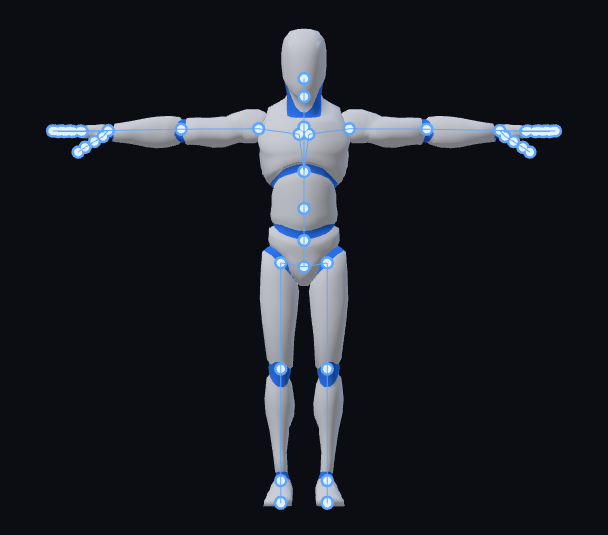
Humans
593 animations
66 joints
Mixamo does too
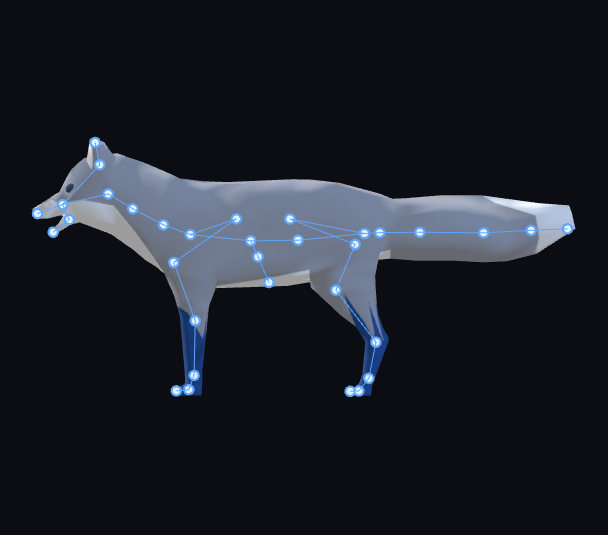
Quadrupeds
48 animations
2 skeletons
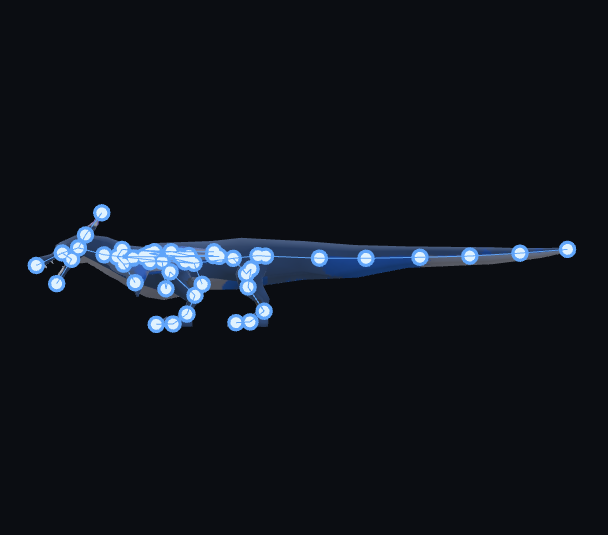
Dragons
19 animations
100 joints
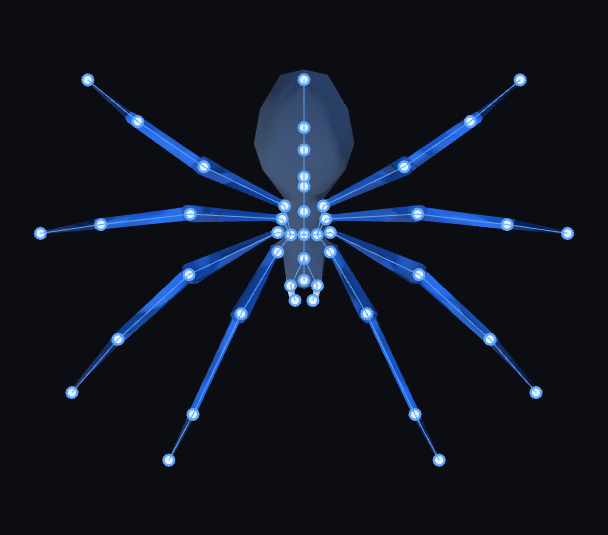
Spiders and insects
17 animations
56 joints
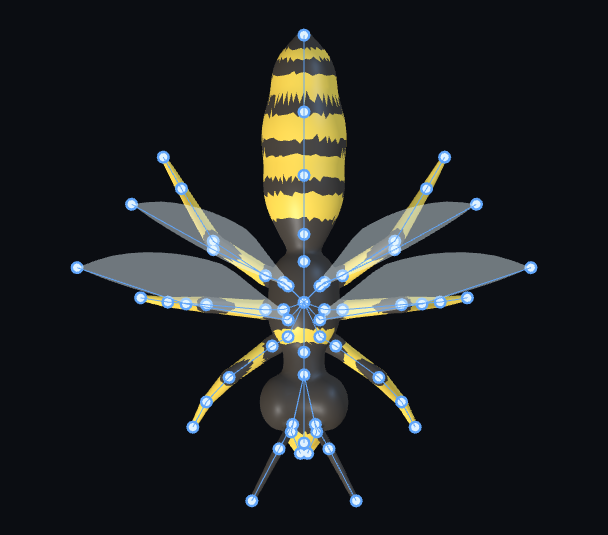
Flying insects
14 animations
62 joints
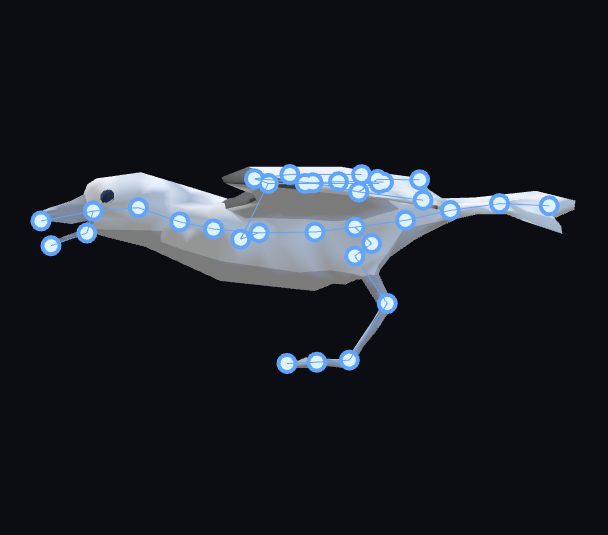
Birds
18 animations
55 joints
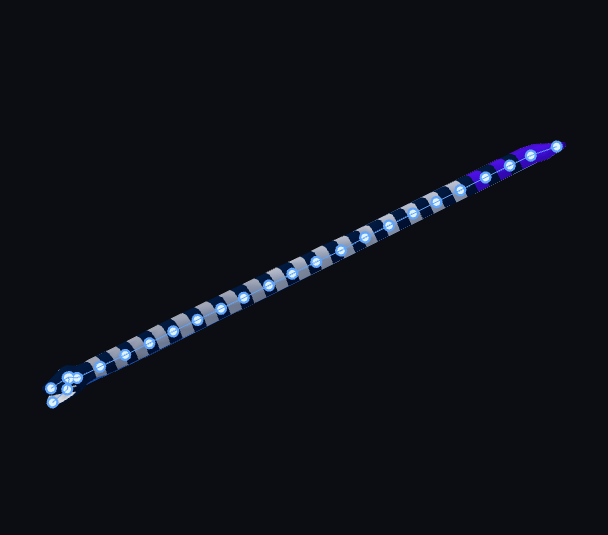
Snakes
14 animations
28 joints
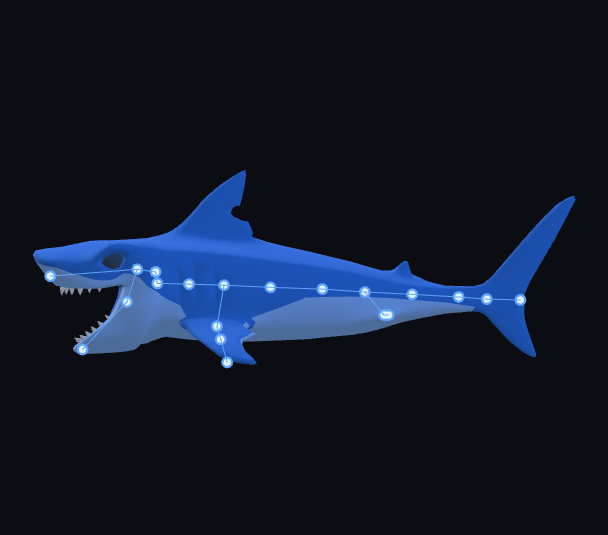
Fish and sharks
15 animations
33 joints
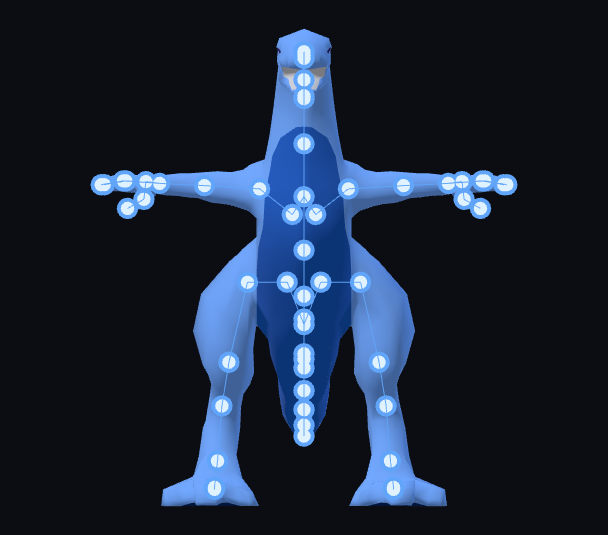
Dinosaurs
17 animations
58 joints
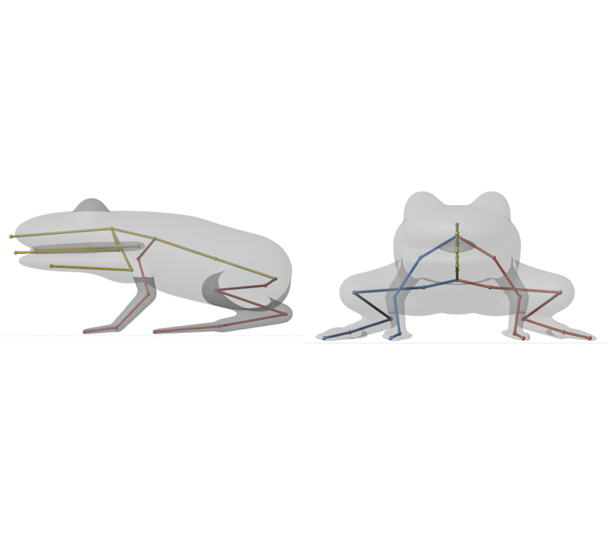
Frogs and toads
13 animations
31 joints
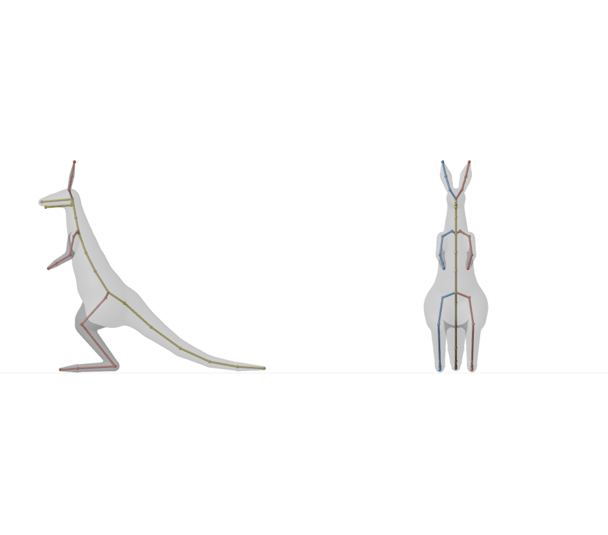
Kangaroos
12 animations
42 joints
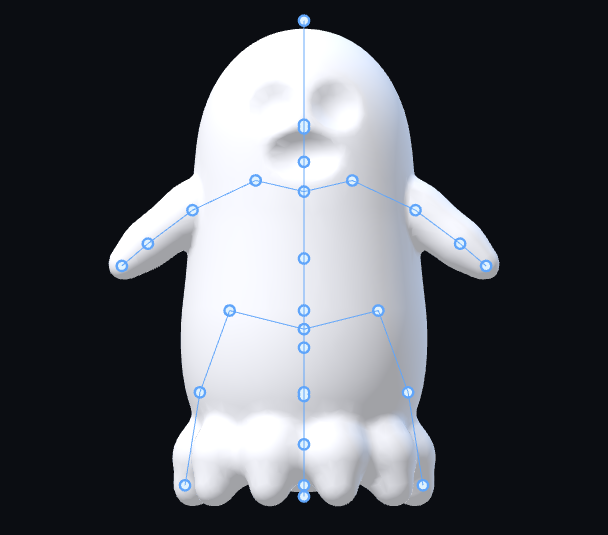
Ghosts
13 animations
32 joints
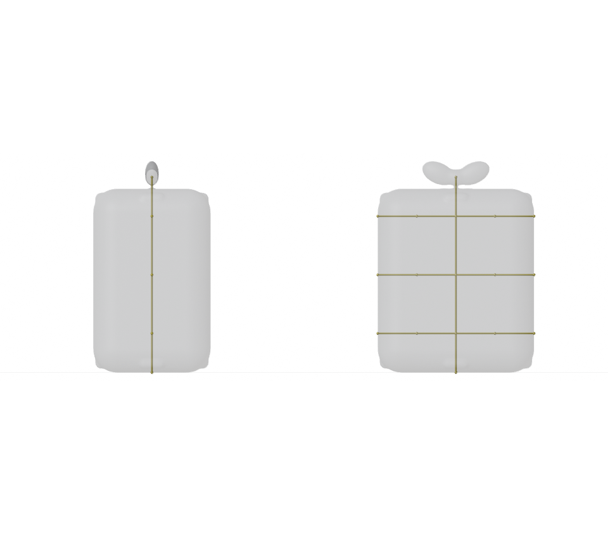
Props
18 animations
21 joints
Limits worth knowing
- Size
- Models up to 50 MB. Shrink big textures or lower the polygon count first.
- Formats in
- GLB, glTF with everything embedded, or FBX. An OBJ in a game engine needs exporting to one of those first.
- Animations
- Maya and 3ds Max bring in the first animation, and the rest are in the saved FBX. ZBrush saves a file rather than rigging in place, and Roblox Studio has you import the result yourself.
- Rigs
- Each rig that reaches AFK AI uses one of your rigs for the month, and stopping the wait doesn't give it back. A rig that fails isn't counted. Rigs on afk.ai/rig and in every plugin come out of the same monthly rigs; when they run out, the plugin shows See plans, which opens afk.ai's plans.
- Results
- Each one can be downloaded for 24 hours. Every plugin but Roblox Studio's downloads it as soon as it's ready; in Roblox Studio, open the download link within the day.
- Your own skeleton
- The plugins always fit afk.ai's skeleton for the body type. To keep your model's own bones and just add animations, use Use its skeleton on afk.ai/rig, as in the retargeting guide.
Questions
What is an auto-rig plugin?
A plugin that adds a skeleton and skin weights to a 3D model from inside the app you work in, without placing bones or painting weights by hand. AFK AI's add animations made for that skeleton too, and bring the rigged model back into your scene or project.
Are the AFK AI plugins free?
Yes, all nine are free to install. Rigging uses your afk.ai account's rigs for the month, the same as on afk.ai/rig: a free account comes with some, and plans give you more, with every animation.
Which apps have an AFK AI plugin?
Blender, Maya, 3ds Max, ZBrush, Unity, Unreal Engine, Godot, Cocos Creator and Roblox Studio. Each one's download is on its page under afk.ai/plugins.
Can the plugins rig animals and creatures, or only humans?
All 15 body types: humans, four-legged and hoofed animals, birds, dragons, dinosaurs, spiders, insects, snakes, fish, kangaroos, frogs, turtles, ghosts and props. Each gets a skeleton and animations made for it.
Is there a plugin for Cinema 4D, Houdini or MetaTailor?
Not yet. MetaTailor has no way for other apps to plug in, so rig the character with AFK AI first, download it as FBX, and dress it in MetaTailor. For any other app, rig on afk.ai/rig and import the GLB or FBX it downloads.
Do the plugins work offline?
No. The rigging runs on afk.ai's servers, so the app needs an internet connection while it rigs.
Can I use the rigged models commercially?
Yes. The skeletons and animations are CC0, and your model stays yours.
Do I need an API key?
No. The plugins sign in with your afk.ai account. API keys are for the developer API, when you rig from your own code.
Rig and animate your model
An AI rigs it in your browser, then hundreds of animations play on it. Download one GLB for any engine.
More guides
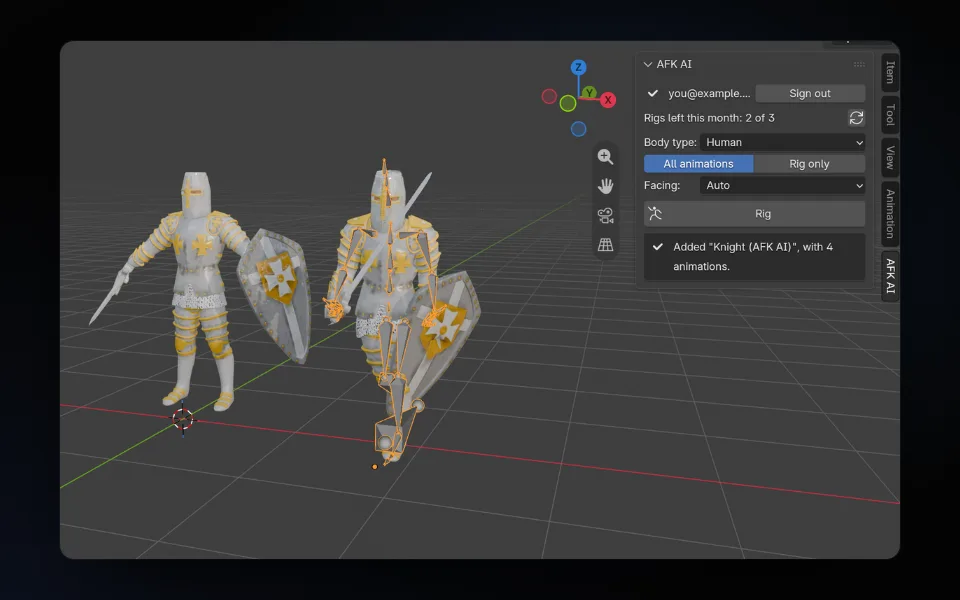
How-to
Auto-rig a character in Blender: the free AFK AI add-on
Select your model, click Rig, and about a minute later a rigged copy with its animations stands next to it, in Blender 4.2 and newer.
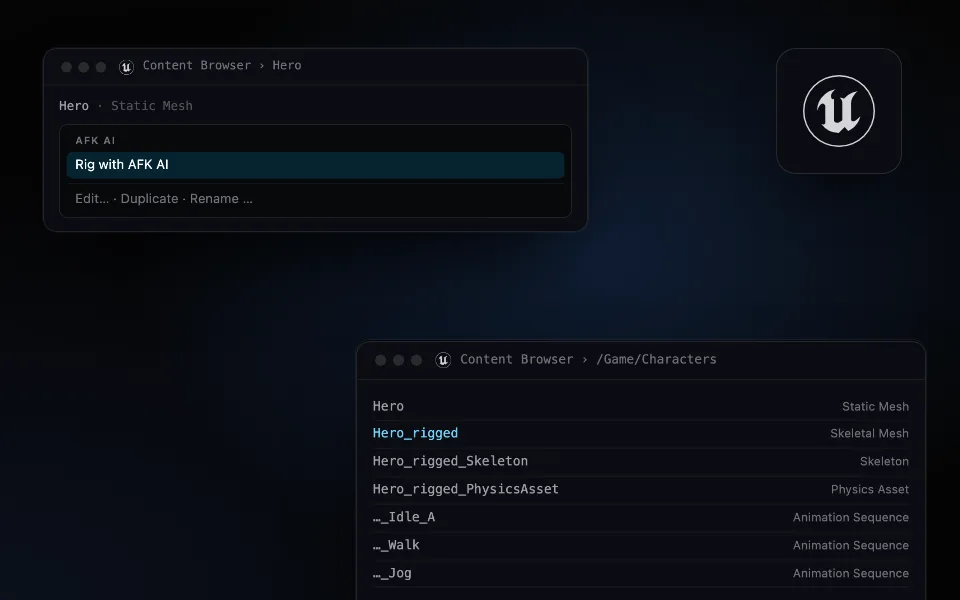
How-to
Auto-rig a character in Unreal Engine 5: from a static mesh to an animated skeletal mesh
Right-click a mesh, choose Rig with AFK AI, and a minute later a skeletal mesh with its skeleton, physics asset and animations is in the same folder.
How-to
Auto-rig any 3D model inside Unity: Humanoid-ready, with its animation clips
Pick a model in the Project window and click Rig. A minute later a rigged FBX sits next to it, set up as Humanoid, with every animation as a clip.