GuidesHow-to5 min read
Maximo animation: How to use Mixamo, step by step
If you searched for Maximo, you want Mixamo: Adobe's free auto-rigger and animation library. Here's how to use it, and how to fix what goes wrong.
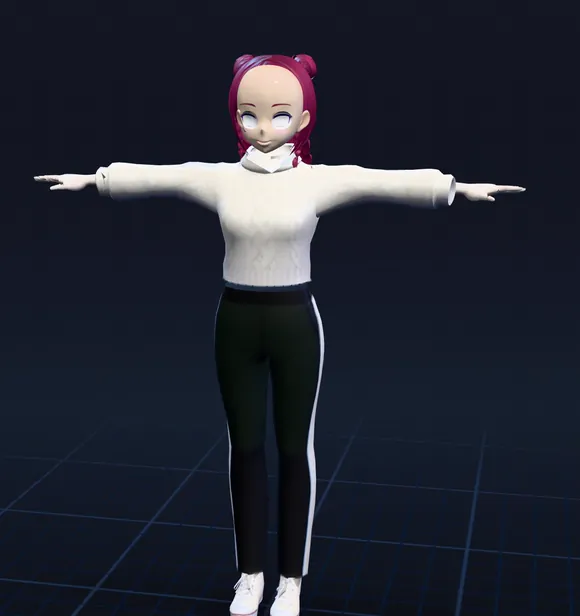 ChinWristWristElbowElbowGroinKneeKnee
"Maximo" is how a lot of people type Mixamo, Adobe's free website that rigs a humanoid character and puts motion-capture animations on it. It runs in the browser, needs only a free Adobe ID, and has thousands of animations. It's still running in 2026.
Here's how to go from a still model to an animated FBX, and how to fix what usually goes wrong.
Before you start
- An Adobe ID.
- A free personal one is enough; no Creative Cloud plan. Enterprise and federated IDs (the kind a company or school signs you in with) don't work.
- A humanoid model
- As FBX, OBJ or a ZIP. Zip an OBJ with its .mtl and textures, or it shows up gray. In an FBX, turn on embed media so the textures come along.
- A clean file.
- One character standing in a T-pose, arms away from the body, fingers spread, centered at 0,0,0, with no cameras, lights or helper objects. An A-pose often works too.
1. Upload your character
On mixamo.com, sign in, open Characters and click Upload Character. If your model already has a skeleton Mixamo can read, it skips straight to animations. If not, the Auto-Rigger opens.
Mixamo keeps only the last character you uploaded, so download the rigged result before you try another one.
2. Place the markers
The Auto-Rigger asks you to drag eight markers onto the model: the chin, both wrists, both elbows, both knees and the groin. Turn on Use Symmetry and it mirrors each one to the other side for you.
Put the wrist markers on the joint, not the hand, and the groin marker where the legs split. Most failed rigs come from a marker in the wrong place.
3. Choose a skeleton (and your fingers)
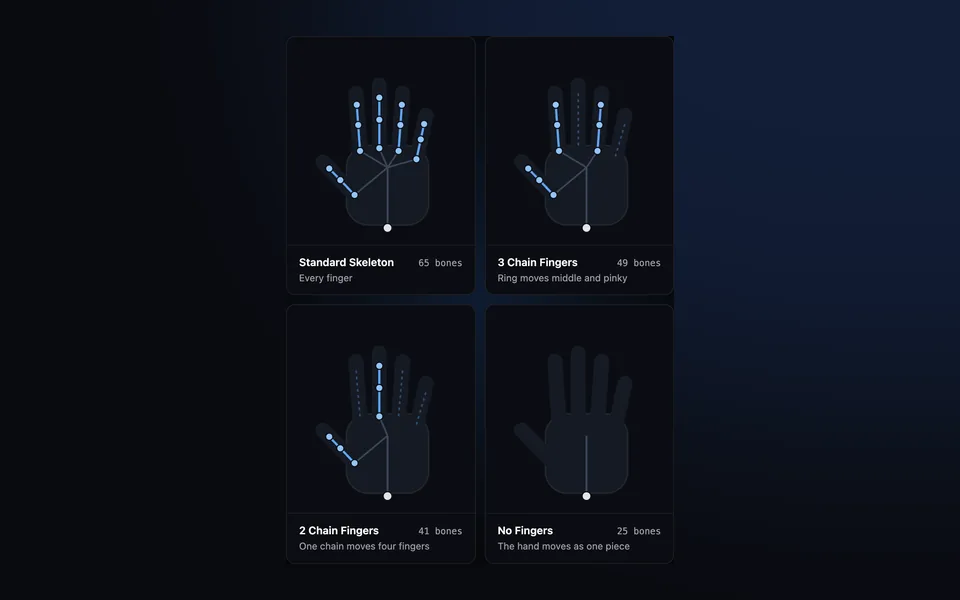
The Skeleton LOD menu decides how many bones you get, and mostly how many fingers:
| Skeleton LOD | Bones | Fingers |
|---|---|---|
| Standard Skeleton | 65 | All five, fully jointed |
| 3 Chain Fingers | 49 | Thumb, index, and one chain that moves the other three |
| 2 Chain Fingers | 41 | Thumb, and one chain that moves the other four |
| No Fingers | 25 | None: the hand moves as one piece |
Pick the Standard Skeleton unless you're targeting phones. If the fingers in your mesh touch, Mixamo can't tell them apart and gives you fewer finger bones; spread them in your 3D app and upload again. Facial Blendshapes can also be turned on here, for 50 or so face shapes.
Standard Skeleton65 bones
Every finger
3 Chain Fingers49 bones
Ring moves middle and pinky
2 Chain Fingers41 bones
One chain moves four fingers
No Fingers25 bones
The hand moves as one piece
4. Pick and tweak animations
Open Animations and search: walk, idle, dance, punch. Each one plays on your character, with sliders on the right. Overdrive changes the speed, Character Arm-Space moves the arms away from the body (useful for wide characters), and Trim cuts the start or end. For anything that walks or runs, tick In Place so the character moves on the spot and your game moves it instead.
5. Download
| Setting | Pick |
|---|---|
| Format | FBX Binary for Blender and Unreal, FBX for Unity, Collada (DAE) for other apps |
| Skin | With Skin for the first file; Without Skin for the rest (just the animation, much smaller) |
| Frames per second | 30, unless your project uses 24 or 60 |
| Keyframe Reduction | none |
6. Bring it into your app
- Blender
- File, Import, FBX. Mixamo files come in with the armature scaled to 0.01, so apply the scale before you animate. The hips are the root bone.
- Unity
- In the Rig tab, set Animation Type to Humanoid. For each Without Skin file, set Avatar Definition to Copy From Other Avatar and pick your character's avatar.
- Unreal Engine
- Import the FBX, then right-click the animations and use Retarget Animation Assets to put them on another skeleton, such as the UE5 mannequin.
When something goes wrong
| Problem | Fix |
|---|---|
| "Sorry, unable to map your existing skeleton" | Your file has a skeleton Mixamo can't read. Upload the mesh without it and let the Auto-Rigger rig it. |
| The rig fails or the mesh twists | Check the markers, and that it's one character in a T-pose with nothing else in the file |
| The hands move like mittens | The fingers touch in the mesh, or you picked a smaller skeleton |
| In Blender, it stays in a T-pose | The bone names differ between files (mixamorig: and mixamorig1:); rename them to match |
| The character slides when it walks | Tick In Place, or let your engine use the root motion |
| It's huge or tiny | Apply the 0.01 scale in Blender, or change the import scale in your engine |
When Mixamo isn't the right tool
Mixamo rigs two-legged humanoids only. A dog, a dragon, a spider or a character with a big tail or wings won't rig. It has no public API, so you can't rig from code, and it only exports FBX and Collada. It was also down for several days in June 2025, which is worth knowing if your pipeline depends on it.
For creatures, GLB files or rigging from code, we make afk.ai: an AI that rigs 15 kinds of body, from people to frogs and sharks, and plays hundreds of animations made for each. There's a side-by-side comparison with Mixamo.
Questions
Is Maximo the same as Mixamo?
Yes. "Maximo" is a common misspelling of Mixamo, Adobe's free auto-rigging and animation website at mixamo.com.
Is Mixamo free?
Yes, with a free Adobe ID. You don't need a Creative Cloud plan. Enterprise and federated Adobe IDs aren't supported.
Does Mixamo still work in 2026?
Yes. The site, the Auto-Rigger and the animation library are all running.
Can Mixamo rig animals or creatures?
No. The Auto-Rigger fits a humanoid skeleton only. For animals, dragons and other creatures, use a rigger with skeletons for them, such as afk.ai.
Does Mixamo work with Blender?
Yes. Download FBX Binary, import it with File, Import, FBX, and apply the armature's 0.01 scale. For many animations on one character, download the rest Without Skin.
Why is my Mixamo animation sliding?
The motion moves the hips forward while your game also moves the character. Tick In Place before downloading, or use the animation's root motion in your engine.
Rig and animate your model
An AI rigs it in your browser, then hundreds of animations play on it. Download one GLB for any engine.
More guides
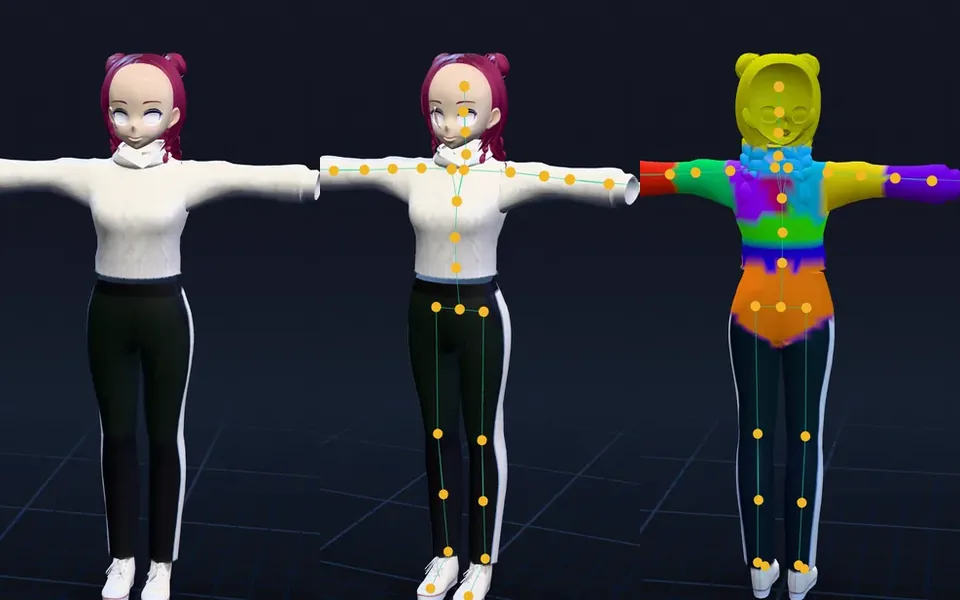
Guide
How to rig a VRChat avatar without Mixamo
Four ways to rig an avatar without Mixamo, and the whole path from a model to a Humanoid avatar in Unity, fingers included.
How-to
Mixamo for VRChat: rig your avatar, add Mixamo animations and upload it
Rig your avatar with fingers, set it up in Unity with the VRChat SDK, upload it, then add Mixamo dances, emotes and poses.
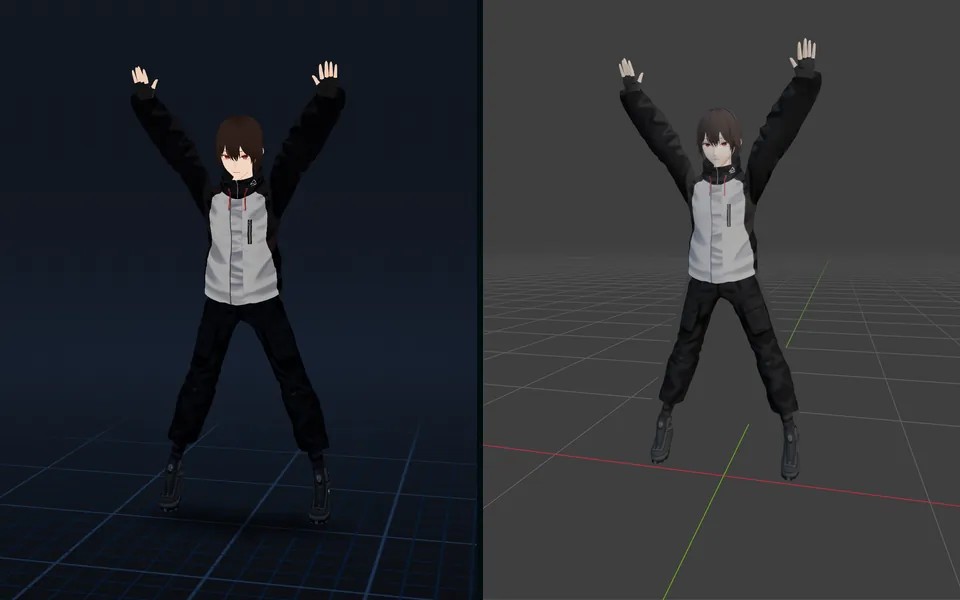
How-to
VRM to FBX, GLB to FBX and back: a 3D converter that keeps the animations
Any 3D model to GLB, FBX, USDZ, OBJ or STL in your browser, with its skeleton, skin weights, every keyframe and its face shapes kept.